

Choosing the right productivity platform is one of the most important technology decisions a business can make. Professional email, cloud storage, document editing, team communication, and online meetings are now essential parts of everyday business operations.
Two popular solutions are Zoho Workplace and Microsoft 365. Both offer comprehensive productivity tools, cloud-based collaboration, and business email hosting. However, they approach the digital workplace differently.
Microsoft 365 is widely recognised for its powerful Office applications, desktop software, and integration with Windows and Microsoft’s enterprise ecosystem. Zoho Workplace, on the other hand, offers an integrated productivity environment with a strong focus on privacy, simplicity, and affordable business software.
For companies that want to protect their information, reduce dependence on multiple providers, and manage their daily operations through one connected platform, Zoho Workplace deserves serious consideration.
In this guide, we compare Zoho Workplace vs Microsoft 365, focusing on security, privacy, business email, cloud storage, collaboration, pricing considerations, and the advantages of choosing Zoho for your business.
Zoho Workplace vs Microsoft 365: Key Differences
Before exploring each platform in detail, let’s compare their main features.
| Feature | Zoho Workplace | Microsoft 365 |
|---|---|---|
| Professional email | Zoho Mail | Exchange Online / Outlook |
| Cloud storage | Zoho WorkDrive | OneDrive |
| Online documents | Zoho Writer | Microsoft Word |
| Spreadsheets | Zoho Sheet | Microsoft Excel |
| Presentations | Zoho Show | Microsoft PowerPoint |
| Team communication | Zoho Cliq | Microsoft Teams |
| Video meetings | Zoho Meeting | Microsoft Teams |
| Calendar | Zoho Calendar | Outlook Calendar |
| File collaboration | Zoho WorkDrive | OneDrive / SharePoint |
| Password management | Zoho Vault (separate product) | Microsoft security ecosystem and third-party integrations |
| Desktop applications | Desktop apps for selected Zoho services | Full desktop Office applications included in eligible plans |
| Business model | Subscription-based software, without an advertising-driven business model | Subscription-based productivity and cloud services |
| Privacy approach | Privacy-focused business philosophy | Enterprise privacy and data protection commitments |
| European data hosting | Available through EU data centre options | Available through Microsoft data residency options, depending on plan and configuration |
Both platforms provide the tools businesses need to operate efficiently. However, Zoho Workplace stands out for its integrated approach, privacy-focused philosophy, and attractive value for companies that do not need the full range of Microsoft’s desktop and enterprise capabilities.
1. Security and Privacy: Why Your Business Data Matters
Every business handles sensitive information daily. Customer communications, financial records, contracts, employee details, internal documents, and commercial strategies are among its most valuable digital assets.
When choosing a cloud productivity platform, businesses should consider more than just application features. They should understand how their provider protects data, manages access, and approaches customer privacy.
Zoho Workplace: Privacy Is Part of the Business Philosophy
One of Zoho’s strongest differentiators is its approach to privacy.
Zoho has publicly stated that it does not sell personal information for advertising purposes and does not depend on advertising revenue as its business model. Instead, its business is built around developing and selling software and services.
This creates a clear distinction in how the company positions its relationship with customers.
Businesses pay for the applications they use, while Zoho’s stated philosophy is that customer information should remain protected and should not become an advertising asset.
For organisations handling confidential business information, this is an important consideration.
Your business data should help your business grow—not become a source of advertising revenue.
Microsoft 365 and Data Privacy: What Businesses Should Know
Microsoft 365 is a commercial productivity platform with dedicated privacy and security commitments.
Microsoft states that it does not use customer data from Microsoft 365 commercial services for advertising purposes. It also provides extensive documentation about data protection, access controls, compliance, and data residency.
Therefore, it would be inaccurate to suggest that Microsoft uses the contents of business emails or documents in Microsoft 365 to deliver targeted advertisements.
The distinction is in the broader business models and privacy philosophies of the two providers.
Microsoft operates a large technology ecosystem that includes cloud computing, software, consumer products, and advertising-related services. Zoho, meanwhile, emphasises a subscription-based software business model without relying on advertising.
For businesses that prefer a provider whose commercial relationship is centred on software subscriptions rather than advertising, Zoho offers a compelling alternative.
Why Privacy Should Be a Business Priority
Choosing a privacy-conscious productivity platform can help businesses:
- Establish clearer expectations about how company information is handled.
- Reduce concerns about advertising-based data monetisation.
- Protect confidential business communications.
- Improve internal information management.
- Build trust with customers, employees, and business partners.
Privacy is not simply a technical feature. It is part of responsible business management.
2. Zoho Workplace Security Features
Privacy is important, but it must be supported by practical security measures.
A professional productivity platform should protect accounts, emails, documents, and business communications against unauthorised access, phishing, data loss, and other cybersecurity threats.
Zoho Workplace provides multiple layers of security designed to protect business environments.
Key capabilities include:
- Encryption: Protection of data in transit and at rest.
- Multi-Factor Authentication (MFA): Additional verification to help prevent unauthorised account access.
- Email Security: Protection mechanisms against phishing, spoofing, spam, and malicious messages.
- Access Management: Administrative controls for managing users and permissions.
- Secure File Sharing: Controls for managing access to shared files and folders.
- Email Encryption: Support for secure email communication, including S/MIME capabilities.
- Audit and Monitoring: Security controls and logging capabilities that help administrators monitor activity.
- Password Management: Zoho Vault offers encrypted storage and management of business passwords.
Zoho also reports compliance certifications and independent security assessments, including ISO 27001, ISO 27017, ISO 27018, ISO 27701, and SOC 2 Type II.
These features help businesses create a more secure and controlled digital workplace.
What About Microsoft 365 Security?
Microsoft 365 also provides extensive security capabilities, particularly for organisations that require advanced identity management, device protection, and enterprise compliance controls.
Depending on the subscription plan, Microsoft offers features such as:
- Microsoft Defender security solutions.
- Microsoft Entra ID identity and access management.
- Multi-Factor Authentication.
- Conditional Access policies.
- Microsoft Purview information protection and compliance tools.
- Microsoft Intune device management.
- Advanced email and phishing protection.
These are significant capabilities, especially for large organisations with dedicated IT and security teams.
However, many small and medium-sized businesses may not need the full complexity of an advanced Microsoft security environment.
Zoho Workplace offers an integrated set of security and administration features that can be attractive to businesses looking for a more straightforward digital workplace.
The best choice depends on the company’s security requirements, subscription plan, regulatory obligations, and IT infrastructure.
3. GDPR and European Data Hosting
For businesses operating in Greece and across the European Union, GDPR compliance is a major consideration.
Companies need to understand where their information is stored, how it is processed, and which third parties may have access to it.
Zoho Workplace and European Data Hosting
Zoho provides European data centre options, allowing eligible customers to host their data within an EU region, depending on the service and account configuration.
This can be particularly useful for businesses that want greater visibility over their cloud infrastructure and data storage arrangements.
Zoho also publishes privacy documentation, security information, and compliance-related resources to help organisations assess its services.
Microsoft 365 and Data Residency
Microsoft 365 also offers data residency options and enterprise data protection controls.
Depending on the subscription, tenant configuration, and selected services, businesses can use Microsoft’s data residency commitments and available regional controls.
It is important to remember that selecting an EU data centre does not automatically guarantee GDPR compliance.
Businesses using either platform should review:
- The relevant Data Processing Agreement (DPA).
- Data residency commitments.
- Subprocessors and third-party services.
- International data transfer arrangements.
- Data retention and deletion policies.
- Their own internal data protection procedures.
Both Zoho and Microsoft provide tools that can support GDPR-conscious operations. The final compliance responsibility also depends on how each business configures and uses its chosen platform.
4. Zoho Workplace: A Complete Business Productivity Ecosystem
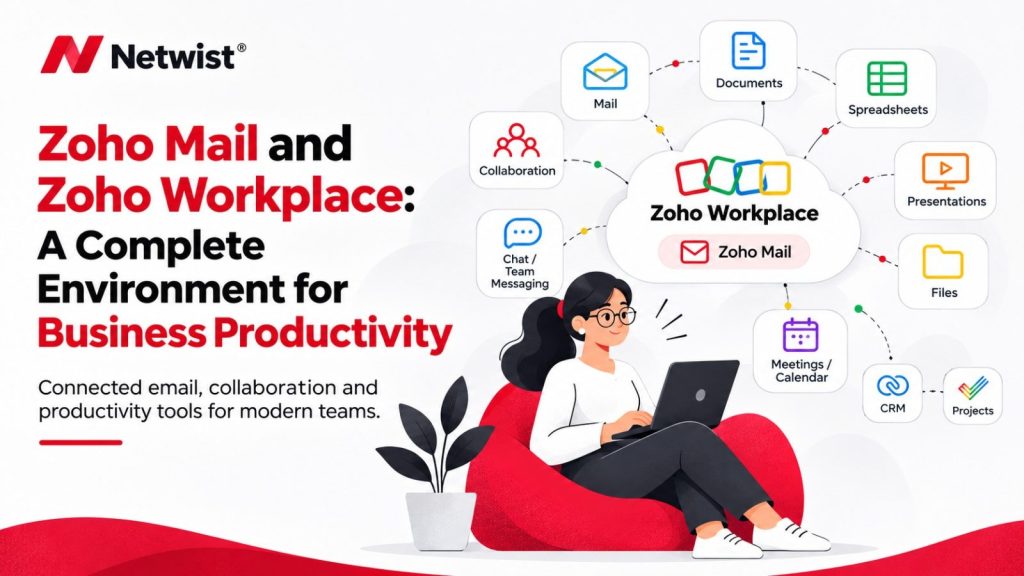
One of Zoho Workplace’s biggest advantages is its integrated approach to everyday business operations.
Instead of relying on several disconnected applications, businesses can manage email, documents, cloud storage, messaging, and online meetings within one connected environment.
Let’s explore the main applications.
Zoho Mail: Professional Business Email
Zoho Mail provides professional email hosting using your company’s own domain.
For example:
It includes email organisation, calendars, contacts, tasks, filters, and collaboration features.
One particularly useful feature is Zoho Streams, which allows teams to collaborate through comments and shared conversations directly within the email environment.
For businesses looking for an alternative to Microsoft Exchange and Outlook, Zoho Mail offers a professional email solution with a strong focus on privacy and security.
Zoho WorkDrive: Secure Cloud Storage
Zoho WorkDrive is the central file storage and collaboration platform within Zoho Workplace.
Teams can:
- Store and organise company documents.
- Create shared folders.
- Collaborate on files.
- Manage user and team permissions.
- Share documents with external partners.
- Control access to business information.
WorkDrive provides a structured environment for businesses that need to manage files across different departments and teams.
Zoho Writer: Online Document Editing
Zoho Writer is Zoho’s online word processor and an alternative to Microsoft Word.
It allows users to create, edit, share, and collaborate on documents in real time.
Businesses can use it for:
- Contracts and agreements.
- Business proposals.
- Reports and presentations.
- Internal documentation.
- Everyday business correspondence.
Zoho Writer also supports working with Microsoft Word document formats, making it easier for businesses to collaborate with organisations that use Microsoft Office.
Zoho Sheet: Business Spreadsheets
Zoho Sheet provides spreadsheet functionality similar to Microsoft Excel.
It supports calculations, formulas, data analysis, charts, and real-time collaboration.
It is useful for:
- Financial planning.
- Sales tracking.
- Business reporting.
- Project budgets.
- Data management.
For everyday spreadsheet requirements, Zoho Sheet provides a practical online alternative.
However, businesses that depend on advanced Excel features such as VBA macros, complex Power Query workflows, or specialised financial models should carefully evaluate compatibility before migrating.
Zoho Show: Professional Presentations
Zoho Show allows teams to create and share presentations for customers, internal meetings, sales proposals, and business planning.
Its collaboration features make it easier for employees to work together without constantly exchanging different versions of presentation files.
Zoho Cliq: Business Team Communication
Zoho Cliq is a business communication platform that supports messaging, channels, calls, and collaboration.
Teams can organise conversations by project, department, or business function.
It helps reduce communication fragmentation and brings team discussions closer to the rest of the Zoho ecosystem.
Zoho Meeting: Online Meetings and Webinars
Zoho Meeting provides online meeting and webinar functionality.
Teams can organise virtual meetings, share screens, and collaborate with customers, employees, and business partners.
Together, these applications provide a connected environment for everyday business productivity.
5. Why Zoho Workplace Is a Strong Choice for Small and Medium-Sized Businesses
Small and medium-sized businesses need technology that is reliable, secure, and affordable.
They also need solutions that can grow with the business without introducing unnecessary complexity.
Zoho Workplace offers several important advantages.
1. One Integrated Platform
Email, cloud storage, documents, spreadsheets, presentations, team messaging, and online meetings are available within one productivity ecosystem.
This can reduce the need to manage multiple unrelated applications and subscriptions.
2. A Privacy-Focused Business Philosophy
Zoho’s subscription-based business model does not depend on advertising revenue.
For businesses that consider privacy and responsible data handling important purchasing criteria, this is a meaningful differentiator.
3. Centralised Administration
Businesses can manage users, permissions, and key aspects of their digital workplace through central administration tools.
This helps maintain consistency as teams grow and organisational structures become more complex.
4. An Ecosystem That Can Grow with Your Business
Zoho Workplace is not limited to email and office applications.
Businesses can expand their digital environment with additional Zoho solutions, including:
- Zoho CRM: Customer relationship management and sales automation.
- Zoho Books: Accounting and financial management.
- Zoho Desk: Customer support and helpdesk management.
- Zoho Projects: Project planning and task management.
- Zoho Vault: Business password management.
This broader ecosystem is one of Zoho’s most important competitive advantages.
Instead of connecting applications from multiple vendors, businesses can gradually build a more unified technology environment using solutions from the same provider.
5. A Cost-Effective Alternative
Zoho Workplace is often an attractive option for companies looking to manage software costs.
Its subscription plans can provide a practical combination of email, collaboration, and office tools without requiring every employee to have the same advanced desktop software capabilities.
The exact savings depend on the selected plans, number of users, storage requirements, and additional services.
Businesses should compare equivalent subscription tiers rather than simply comparing the lowest advertised prices.
6. Where Microsoft 365 Has an Advantage
A fair comparison should also recognise the areas where Microsoft 365 may be the better option.
Microsoft has built a mature productivity ecosystem, particularly for businesses that rely heavily on desktop applications and advanced enterprise infrastructure.
Microsoft 365 may be a better fit if your business:
- Depends on advanced Microsoft Excel functionality, including VBA and complex Power Query workflows.
- Requires the full desktop versions of Word, Excel, and PowerPoint.
- Relies on specialised software with deep Outlook or Exchange integration.
- Uses Microsoft Teams extensively across its organisation.
- Needs advanced Windows device management through Microsoft Intune.
- Requires Microsoft Entra ID, Defender, or Purview capabilities.
- Has established workflows built around SharePoint and the wider Microsoft ecosystem.
These are genuine advantages and should be considered before making a migration decision.
However, not every business needs this level of complexity.
For organisations that primarily need professional email, cloud storage, online documents, communication, and meetings, Zoho Workplace can provide a simpler and highly capable alternative.
7. Zoho Workplace vs Microsoft 365: Which One Should You Choose?
The right choice depends on your company’s requirements, existing systems, budget, and long-term technology strategy.
Choose Microsoft 365 if:
- Your employees rely heavily on desktop Microsoft Office applications.
- Your business depends on advanced Excel features.
- You use Microsoft Teams and SharePoint extensively.
- You need advanced device management and Microsoft security integrations.
- Your existing business software depends on the Microsoft ecosystem.
Choose Zoho Workplace if:
- Privacy is a major business priority.
- You prefer a provider whose business model does not depend on advertising.
- You need professional email with your own domain.
- You want integrated tools for documents, storage, messaging, and meetings.
- You want to expand into a wider business application ecosystem.
- You are looking for a cost-effective alternative to Microsoft 365.
- Your team primarily works with cloud-based documents and collaboration tools.
For many small and medium-sized businesses, Zoho Workplace offers an excellent balance of productivity, integration, security features, and value.
8. Moving from Microsoft 365 to Zoho Workplace
Switching productivity platforms may seem complicated, especially for businesses that have been using Outlook, Exchange, OneDrive, Word, and Excel for years.
However, with proper planning, the transition can be organised in stages.
Zoho provides migration tools and documentation to help businesses transfer supported data from Microsoft 365 and other platforms.
A typical migration process includes:
- Assessing your current environment: Reviewing email accounts, users, shared folders, calendars, contacts, and existing workflows.
- Planning the new environment: Defining user accounts, groups, permissions, and folder structures in Zoho Workplace.
- Migrating emails and files: Transferring existing business information using the appropriate migration tools.
- Configuring your business domain: Updating DNS records, including MX, SPF, DKIM, and DMARC.
- Training employees: Helping your team become familiar with Zoho Mail, WorkDrive, Writer, Sheet, and the other applications.
- Testing the new environment: Verifying email delivery, file access, calendars, permissions, and collaboration workflows.
Zoho also offers a split-delivery option, allowing part of an organisation to move to Zoho while other users temporarily remain on the existing email platform.
This can be useful for businesses that prefer a phased migration rather than moving every employee at once.
A professional migration plan helps protect business continuity and ensures that employees can transition to the new environment smoothly.
Frequently Asked Questions (FAQ)
Is Zoho Workplace better than Microsoft 365?
Zoho Workplace can be a better choice for businesses that prioritise privacy, want an integrated productivity suite, and need a cost-effective alternative to Microsoft 365. Microsoft 365 may be more suitable for organisations that depend on advanced desktop Office applications, Excel functionality, and Microsoft’s enterprise ecosystem.
Is Zoho Workplace more private than Microsoft 365?
Zoho promotes a privacy-focused business model and states that it does not sell personal information for advertising purposes. Microsoft also provides strong commercial privacy commitments and states that Microsoft 365 customer data is not used for advertising. The key distinction is the providers’ broader business models and privacy philosophies.
Is Zoho Workplace secure?
Yes. Zoho Workplace provides security features such as encryption, multi-factor authentication, access controls, email security, and secure file-sharing capabilities. Zoho also reports internationally recognised security certifications and independent assessments.
Does Zoho Workplace include an alternative to Microsoft Word and Excel?
Yes. Zoho Writer is an alternative to Microsoft Word, while Zoho Sheet provides spreadsheet functionality similar to Microsoft Excel. Both support collaboration and compatibility with common Microsoft Office file formats. Businesses using advanced Excel features should test their specific workflows before migrating.
Can I use Microsoft Office files in Zoho Workplace?
Yes. Zoho’s office applications support working with common Microsoft Office formats, including Word, Excel, and PowerPoint files. Compatibility should be tested for documents that use complex formatting, macros, or advanced features.
Is Zoho Workplace GDPR compliant?
Zoho provides GDPR-related documentation, privacy commitments, and European data hosting options. However, compliance also depends on how a business configures and uses the platform, its data processing activities, and its own organisational procedures.
Can I migrate from Microsoft 365 to Zoho Workplace?
Yes. Zoho provides migration tools and documentation for transferring supported data from Microsoft 365. A migration plan should cover emails, contacts, calendars, files, domain configuration, and employee training.
Does Zoho Workplace include professional business email?
Yes. Zoho Mail supports professional email accounts using your own company domain, allowing businesses to create addresses such as [email protected] and [email protected].
Is Zoho Workplace suitable for small businesses?
Absolutely. Zoho Workplace combines professional email, cloud storage, document editing, spreadsheets, team communication, and online meetings. It is a practical option for small and medium-sized businesses that want an integrated productivity environment.
Final Verdict: Why Zoho Workplace Deserves Your Attention
Microsoft 365 is a powerful and mature productivity platform, particularly for organisations that rely on desktop Office applications, advanced Excel features, and Microsoft’s enterprise technology ecosystem.
However, businesses should look beyond brand recognition when choosing their digital workplace.
Zoho Workplace offers a compelling combination of professional email, cloud storage, document collaboration, team communication, and security features, supported by a privacy-focused, subscription-based business model.
Its integrated applications, European data hosting options, and wider ecosystem of business software make it an excellent alternative for companies that want to build a connected and efficient digital workplace.
For businesses that do not require the full complexity of Microsoft’s desktop and enterprise tools, Zoho Workplace can deliver the essential productivity capabilities they need while offering an attractive approach to privacy, integration, and cost management.
Your business deserves technology that helps your team work smarter, protects the value of your information, and grows alongside your organisation.
Ready to Move Your Business to Zoho Workplace?
At Netwist, we help businesses implement Zoho solutions, migrate from Microsoft 365, configure professional business email, and build secure, integrated digital workplaces.
Whether you are a small business looking for professional email or an established organisation seeking a complete productivity ecosystem, our team can help you find the right solution.
Contact Netwist today and discover how Zoho Workplace can transform the way your business works.