

Choosing the right business productivity platform is about more than professional email and online documents. It is about protecting sensitive company information, maintaining control over business data, and giving your team the tools to work efficiently.
Two popular solutions are Zoho Workplace and Google Workspace. Both offer professional email, cloud storage, document editing, video meetings, and team collaboration. However, they differ in their overall business philosophy, approach to privacy, and productivity ecosystem.
While Google Workspace is widely recognised, Zoho Workplace offers a compelling alternative for businesses that value data privacy, integrated business applications, and a subscription-based software model that does not depend on advertising revenue.
In this guide, we compare Zoho Workplace vs Google Workspace, focusing on security, privacy, business email, cloud storage, collaboration, and the advantages Zoho offers to modern businesses.
Zoho Workplace vs Google Workspace: Key Differences
Before exploring each platform in detail, let’s look at the main differences.
| Feature | Zoho Workplace | Google Workspace |
|---|---|---|
| Professional email | Zoho Mail | Gmail |
| Cloud storage | Zoho WorkDrive | Google Drive |
| Document editing | Zoho Writer | Google Docs |
| Spreadsheets | Zoho Sheet | Google Sheets |
| Presentations | Zoho Show | Google Slides |
| Team messaging | Zoho Cliq | Google Chat |
| Video meetings | Zoho Meeting | Google Meet |
| Calendar | Zoho Calendar | Google Calendar |
| Business model | Subscription-based software | Subscription-based Workspace within a wider advertising-supported company |
| Advertising-based business model | No advertising-driven business model | Google operates a major advertising business |
| Business data privacy | Strong privacy-focused positioning | Workspace content is not used for advertising targeting, according to Google |
| European data hosting | Available through EU data centre options | Available through data location options, depending on plan |
Both platforms provide comprehensive productivity tools. However, Zoho Workplace is particularly attractive to businesses looking for an integrated digital workplace with a strong emphasis on privacy and control.
1. Security and Privacy: Why Your Business Data Matters
Every business handles valuable information every day.
Customer emails, contracts, financial documents, employee records, business proposals, and internal communications are essential company assets. Protecting this information should be a priority when choosing a cloud productivity platform.
This makes security and privacy two of the most important factors when comparing Zoho Workplace vs Google Workspace.
Zoho Workplace: Privacy Is Part of the Business Model
One of Zoho’s most significant advantages is its approach to customer privacy.
Zoho has publicly stated that it does not sell personal information for advertising purposes and does not rely on advertising revenue as its business model. Instead, its business is primarily based on providing software and services through paid subscriptions.
This creates a different relationship between the software provider and its customers.
Businesses pay for the tools they use, while Zoho’s stated approach is to respect customer data rather than monetise it through advertising.
For companies that manage sensitive information, this is an important consideration.
Your business data should support your business—not become an advertising asset.
Google Workspace and Advertising: What Businesses Should Know
Google Workspace is a professional productivity platform, and Google explicitly states that it does not use the content of Google Workspace emails or files for advertising purposes.
This distinction is important. It would be inaccurate to suggest that Google reads business emails in Gmail for Google Workspace to deliver targeted advertisements.
However, Google operates a much broader advertising ecosystem. Its consumer services and advertising products involve the collection and use of certain information for personalised advertising, depending on account settings and applicable policies.
Zoho takes a different overall approach. Its business model is based on software subscriptions rather than advertising.
For organisations that prefer a provider without an advertising-driven business model, Zoho Workplace offers an appealing alternative.
Why This Matters for Your Business
Choosing a privacy-focused productivity platform can help businesses:
- Reduce concerns about advertising-based data monetisation.
- Establish clearer expectations about how customer information is handled.
- Protect confidential business communications.
- Improve internal data management practices.
- Build greater confidence among customers and employees.
Privacy should not be an afterthought. It should be part of your company’s digital strategy.
2. Zoho Workplace Security Features
A secure productivity platform needs more than a privacy policy. It also needs technical safeguards that protect accounts, communications, and stored information.
Zoho Workplace provides multiple security features designed to protect business environments.
These include:
- Encryption: TLS protection for data in transit and AES-256 encryption for stored data, where applicable.
- Two-Factor Authentication (2FA): Additional account protection through a second verification step.
- Email Security: Protection mechanisms against phishing, spoofing, spam, and other email threats.
- Access Management: Administrative controls for managing users and permissions.
- Secure File Sharing: Controls that help businesses manage access to shared files and folders.
- Password Management: Zoho Vault provides encrypted password storage and management.
- Security Compliance: Zoho reports certifications and independent assessments, including ISO 27001, ISO 27017, ISO 27018, ISO 27701, and SOC 2 Type II.
These capabilities help businesses create a more secure digital workplace and reduce the risks associated with everyday operations.
3. GDPR and European Data Hosting
For businesses operating in Greece and across the European Union, data protection is an essential consideration.
The General Data Protection Regulation (GDPR) establishes requirements for organisations that process personal data. Businesses must understand where their data is stored, how it is processed, and which third parties may have access to it.
Zoho provides European data centre options, allowing customers to host their data in an EU region, depending on the service and account configuration.
This can be particularly useful for European businesses that want greater visibility and control over their cloud infrastructure.
It is important to understand that EU data hosting alone does not automatically guarantee GDPR compliance. Businesses should also review:
- Zoho’s Data Processing Agreement (DPA).
- Relevant subprocessors.
- International data transfer arrangements.
- Access and retention policies.
- Their own internal data protection procedures.
With the right configuration and organisational practices, Zoho Workplace can form part of a GDPR-conscious business technology environment.
4. Zoho Workplace: A Complete Business Productivity Ecosystem
Security and privacy are important, but businesses also need practical tools that make everyday work easier.
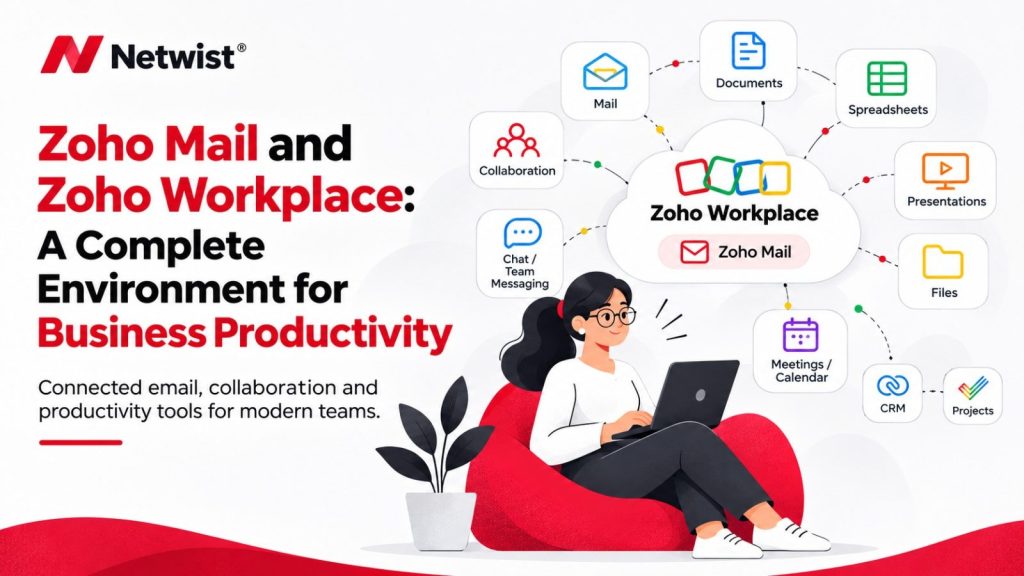
One of the biggest advantages of Zoho Workplace is that it brings essential productivity applications together in one integrated environment.
Instead of managing multiple disconnected services, businesses can use a connected suite for email, file storage, document creation, communication, and online meetings.
Zoho Mail: Professional Business Email
Zoho Mail provides secure professional email hosting using your company’s own domain.
For example:
It includes email organisation, calendars, contacts, tasks, filters, and collaboration features.
Zoho Mail also offers Streams, which allows teams to collaborate through comments and shared conversations directly within the email environment.
For businesses looking for a professional alternative to Gmail, Zoho Mail is a strong option.
Zoho WorkDrive: Secure Cloud Storage
Zoho WorkDrive is the central file storage and collaboration solution within Zoho Workplace.
Teams can:
- Store and organise business documents.
- Create shared folders.
- Collaborate on files.
- Manage user permissions.
- Share documents with external partners.
- Maintain greater control over access to company information.
WorkDrive is particularly useful for businesses that need a structured environment for managing company files and collaborating across departments.
Zoho Writer: Online Document Editing
Zoho Writer is Zoho’s online word processor and an alternative to Google Docs.
It allows users to create, edit, share, and collaborate on documents in real time.
Businesses can use it for contracts, proposals, reports, internal documentation, and everyday business communication.
Zoho Sheet: Spreadsheets for Business
Zoho Sheet provides online spreadsheet functionality similar to Google Sheets.
It supports calculations, data analysis, charts, collaboration, and reporting.
It is useful for financial planning, sales tracking, project reporting, and everyday business operations.
Zoho Show: Professional Presentations
Zoho Show allows teams to create and share presentations for customers, internal meetings, sales proposals, and business planning.
Its collaboration features help employees work together on presentations without constantly exchanging different file versions.
Zoho Cliq: Business Team Communication
Zoho Cliq is a team communication platform that supports messaging, channels, calls, and collaboration.
Businesses can organise conversations by department, project, or team, helping employees communicate more efficiently.
Zoho Meeting: Online Meetings and Webinars
Zoho Meeting provides online meeting and webinar functionality.
Teams can host virtual meetings, share screens, and collaborate with colleagues, clients, and business partners.
Together, these applications create a connected environment for everyday business productivity.
5. Why Zoho Workplace Is a Strong Choice for Small and Medium-Sized Businesses
Small and medium-sized businesses need technology that is reliable, secure, and affordable.
They also need solutions that can grow with them without creating unnecessary complexity.
Zoho Workplace offers several advantages.
One Integrated Platform
Email, cloud storage, documents, spreadsheets, presentations, messaging, and meetings are available within one productivity ecosystem.
This reduces the need to manage multiple unrelated applications.
A Privacy-Focused Business Philosophy
Zoho’s subscription-based business model does not depend on advertising revenue.
For businesses that place a high value on privacy and data protection, this is an important differentiator.
Centralised Administration
Businesses can manage users, access permissions, and various aspects of their digital workplace through central administration tools.
This makes it easier to maintain consistency as teams grow.
An Ecosystem That Can Grow with Your Business
Zoho Workplace is not limited to email and office applications.
Businesses can expand their digital environment with additional Zoho solutions, including:
- Zoho CRM: Customer relationship management and sales automation.
- Zoho Books: Accounting and financial management.
- Zoho Desk: Customer support and helpdesk management.
- Zoho Projects: Project planning and task management.
- Zoho Vault: Business password management.
This broader ecosystem is one of Zoho’s most important competitive advantages.
Businesses can gradually connect more of their operations without having to build their entire technology infrastructure around unrelated providers.
6. Zoho Workplace vs Google Workspace: Which One Should You Choose?
The right choice depends on your company’s needs, existing systems, budget, and priorities.
Choose Google Workspace if:
- Your team already relies heavily on Google applications.
- Your business uses advanced Google integrations.
- Your employees are familiar with Gmail, Docs, and Drive.
- You need specific features available in a particular Google Workspace plan.
Choose Zoho Workplace if:
- Privacy is a major business priority.
- You prefer a provider whose business model does not depend on advertising.
- You want professional email with your own domain.
- You need integrated tools for documents, storage, messaging, and meetings.
- You want to expand into a wider business application ecosystem.
- You are looking for an alternative to Google Workspace.
For many small and medium-sized businesses, Zoho Workplace offers an excellent combination of productivity, integration, security features, and privacy-focused principles.
7. Moving from Google Workspace to Zoho Workplace
Switching productivity platforms does not have to be complicated.
With proper planning, businesses can migrate from Google Workspace to Zoho Workplace while minimising disruption to their daily operations.
A typical migration process includes:
- Assessing your current environment: Reviewing email accounts, users, shared folders, calendars, and existing workflows.
- Planning the migration: Defining the new Zoho Workplace structure, user accounts, and permissions.
- Migrating emails and files: Transferring existing business information using the appropriate migration tools.
- Configuring your domain: Setting up DNS records, including MX, SPF, DKIM, and DMARC.
- Training your employees: Helping your team become familiar with Zoho Mail, WorkDrive, and the other applications.
- Testing the new environment: Verifying email delivery, file access, calendars, and user permissions.
A professional migration plan helps protect business continuity and ensures that employees can transition to the new platform smoothly.
Frequently Asked Questions (FAQ)
Is Zoho Workplace better than Google Workspace?
Zoho Workplace can be a better choice for businesses that prioritise privacy, want an integrated productivity suite, and prefer a provider whose business model does not depend on advertising. Google Workspace may be more suitable for organisations that rely heavily on Google’s existing ecosystem and integrations.
Is Zoho Workplace more private than Google Workspace?
Zoho has a privacy-focused business model and states that it does not sell personal information for advertising purposes. Google, meanwhile, states that it does not use Google Workspace content for advertising. Businesses should compare the providers’ wider privacy policies, data processing terms, and operational requirements.
Does Google use Google Workspace emails for targeted advertising?
No. Google states that it does not use the content of Google Workspace emails or files for advertising purposes. This should be distinguished from Google’s broader advertising ecosystem and the personalisation practices associated with some consumer services.
Is Zoho Workplace GDPR compliant?
Zoho provides GDPR-related documentation, data processing terms, and European data hosting options. However, GDPR compliance also depends on how a business configures and uses the platform, its data processing activities, and its own organisational procedures.
Does Zoho Workplace include cloud storage?
Yes. Zoho Workplace includes Zoho WorkDrive, which provides cloud storage, file management, collaboration, and sharing capabilities.
Can I migrate from Google Workspace to Zoho Workplace?
Yes. Businesses can migrate emails and other supported data from Google Workspace to Zoho Workplace using the available migration tools and appropriate planning.
Does Zoho Workplace include professional email?
Yes. Zoho Mail supports professional email accounts using your company’s own domain, allowing businesses to create addresses such as [email protected].
Is Zoho Workplace suitable for small businesses?
Yes. Zoho Workplace provides email, file storage, document editing, messaging, and online meetings in one integrated environment, making it a practical option for many small and medium-sized businesses.
Final Verdict: Why Zoho Workplace Deserves Your Attention
Google Workspace is an established productivity platform with a large user base and a mature ecosystem. It offers excellent collaboration tools and should not be dismissed.
However, businesses should look beyond brand recognition when choosing their digital workplace.
Zoho Workplace offers a compelling combination of professional email, cloud storage, document collaboration, team communication, and security features, supported by a business model that does not rely on advertising.
Its privacy-focused philosophy, European data hosting options, and wider ecosystem of business applications make it an excellent alternative for companies that want to build a more connected and controlled digital working environment.
Your business data is one of your most valuable assets. Choosing the right platform means choosing not only how your team works, but also how your information is managed and protected.
Ready to Move Your Business to Zoho Workplace?
At Netwist, we help businesses implement Zoho solutions, migrate from Google Workspace, configure professional business email, and build secure, integrated digital workplaces.
Whether you are a small business looking for professional email or an established organisation seeking a complete productivity ecosystem, our team can help you find the right solution.
Contact Netwist today and discover how Zoho Workplace can transform the way your business works.