

Professional business email is more than just a way to send and receive messages. It is an essential part of your company’s communication, credibility, organisation, and daily operations.
Whether you are a freelancer, a small business, or a growing organisation, choosing the right email service can make a significant difference in how efficiently you work and communicate with customers, partners, and colleagues.
Two popular options for professional email are Zoho Mail and Gmail for Business, included in Google Workspace. Both offer custom domain email addresses, security features, and tools designed to support modern businesses.
But which one is the better choice?
In this guide, we compare Zoho Mail and Gmail for Business, exploring their features, pricing considerations, security, privacy, integrations, and overall value to help you choose the right email solution for your business.
1. What Are Zoho Mail and Gmail for Business?
Before comparing their features, it is important to understand what each service offers.
Zoho Mail
Zoho Mail is a professional business email service designed for organisations that want secure, reliable, and ad-free email hosting using their own domain name.
It provides a clean email interface, custom domain support, calendar management, contacts, tasks, and collaboration features. It is also part of the wider Zoho ecosystem, allowing businesses to connect their email environment with applications such as Zoho CRM, Zoho Desk, Zoho Projects, and other business tools.
Zoho Mail is particularly attractive to small and medium-sized businesses looking for professional email hosting and access to a broader range of business applications.
Gmail for Business
Gmail for Business is part of Google Workspace, Google’s cloud-based productivity platform.
It provides professional email hosting through Gmail using a company’s own domain name, together with applications such as Google Calendar, Google Drive, Google Meet, Google Chat, Docs, Sheets, and Slides.
Gmail is widely recognised for its familiar interface, powerful search capabilities, and close integration with Google’s productivity tools.
It is a popular choice for businesses that already use Google services or want an integrated cloud-based working environment.
2. Zoho Mail vs Gmail: Feature Comparison
Both services provide the essential features businesses need to manage professional email. However, their interfaces, administration options, integrations, and wider productivity environments differ.
| Feature | Zoho Mail | Gmail for Business |
|---|---|---|
| Custom Domain Email | Yes | Yes |
| Webmail Access | Yes | Yes |
| Mobile Applications | Yes | Yes |
| Calendar | Zoho Calendar | Google Calendar |
| Contacts | Zoho Contacts | Google Contacts |
| Tasks | Zoho Tasks and related tools | Google Tasks |
| Email Filtering | Yes | Yes |
| Spam Protection | Yes | Yes |
| Two-Factor Authentication | Yes | Yes |
| Email Aliases | Yes, plan-dependent | Yes, configuration-dependent |
| Shared Mailboxes / Delegation | Available options depend on configuration and plan | Delegation and collaborative options depend on configuration |
| Cloud Storage | Through Zoho WorkDrive and applicable plans | Google Drive |
| Video Meetings | Zoho Meeting | Google Meet |
| Business Integrations | Zoho ecosystem and third-party integrations | Google Workspace and third-party integrations |
| Advertising in Mailbox | Ad-free experience | No ads in paid Google Workspace Gmail |
Feature availability, limits, and administration options depend on the subscription plan and configuration. Always check the providers’ current plan details.
3. Email Interface and Ease of Use
The email interface is one of the most important aspects of everyday business communication. Employees need an environment that is easy to navigate, responsive, and efficient.
Zoho Mail
Zoho Mail offers a clean and organised interface designed for professional communication.
Users can manage emails, contacts, calendars, tasks, and other productivity features within the same environment. Its layout provides useful tools without making the interface unnecessarily complicated.
Some of its useful features include:
- Customisable email organisation.
- Email filters and folders.
- Advanced search.
- Email templates and signatures.
- Calendar and contact management.
- Integration with other Zoho applications.
Zoho Mail is a good option for businesses that want a professional email environment with additional productivity features.
Gmail for Business
Gmail is known for its familiar interface and straightforward navigation.
Its search functionality makes it easy to locate messages, while labels, filters, categories, and other organisation tools help users manage large volumes of email.
Its main advantages include:
- Powerful email search.
- Labels and filters.
- Conversation-based email organisation.
- Email templates and signatures.
- Integration with Google Calendar and other Workspace applications.
- Familiar interface for users already accustomed to Gmail.
Gmail is particularly convenient for teams that value simplicity and already work with Google’s services.
4. Professional Email and Custom Domain Support
A professional email address using your company’s domain is essential for building trust and maintaining a consistent business identity.
For example:
Both Zoho Mail and Gmail for Business support custom domain email hosting.
Zoho Mail
Zoho Mail allows businesses to create and manage professional email addresses using their own domain.
Depending on the selected plan, organisations can configure users, aliases, email policies, and administrative settings.
Zoho also provides domain verification and DNS configuration guidance to help businesses connect their domains to the email service.
Gmail for Business
Google Workspace also supports professional email addresses using a company’s own domain.
Businesses can create accounts for employees, configure email routing, manage users, and use Google’s administrative tools to manage their email environment.
Both services provide a professional alternative to free email addresses such as @gmail.com or @outlook.com.
The right choice depends on your preferred platform, administration requirements, and the other business applications you use.
5. Security, Privacy, and Email Protection
Email security and privacy are essential for every business. Phishing, spam, malware, unauthorised access, and compromised accounts can expose sensitive information and disrupt daily operations.
Both Zoho Mail and Gmail for Business offer security features designed to protect business communication. However, their approach to privacy and advertising is also worth considering.
Zoho Mail Security
Zoho Mail provides security and administration capabilities that may include:
- Spam and malware protection.
- Two-factor authentication.
- Encryption capabilities.
- Email authentication support.
- Administrative controls.
- Access and security policies.
Its security features help businesses protect their email accounts and manage access to company communication.
Gmail for Business Security
Google Workspace offers a range of security features, including:
- Spam and phishing protection.
- Malware detection.
- Two-step verification.
- Administrative security controls.
- Email authentication support.
- Security monitoring and account management.
Available security controls vary depending on the Google Workspace subscription.
A More Privacy-Focused Email Experience with Zoho Mail
One of the key advantages of Zoho Mail is its commitment to user privacy.
Zoho Mail provides an ad-free email experience, meaning users do not have to deal with advertisements displayed inside their mailbox. Zoho also states that it does not scan the content of emails to serve advertisements or use email content for advertising purposes.
This gives businesses a cleaner, distraction-free email environment and greater confidence that their professional communications are not being used for advertising targeting.
For organisations that value privacy, confidentiality, and control over their business communications, this is an important consideration when choosing an email provider.
It is worth distinguishing between advertising-related data use and the technical data required to operate an online service. Like other cloud services, Zoho Mail processes certain technical and account information to provide its services, maintain security, and support its users.
An Important Consideration
No email platform can eliminate every security risk.
Correct DNS configuration, strong passwords, multi-factor authentication, user awareness, and appropriate administrative policies are equally important.
For professional email hosting, proper setup and ongoing maintenance are essential to maintaining a secure communication environment.
6. Integrations and Business Applications
One of the biggest differences between Zoho Mail and Gmail for Business is the wider ecosystem behind each platform.
Zoho Mail and the Zoho Ecosystem
Zoho Mail is part of a much larger collection of business applications.
Businesses can connect their email environment with tools such as:
- Zoho CRM – Manage customer relationships, leads, and sales activities.
- Zoho Desk – Organise customer support and service requests.
- Zoho Projects – Manage projects, tasks, and team activities.
- Zoho Campaigns – Manage email marketing campaigns.
- Zoho Books – Support accounting and financial management.
- Zoho Forms – Create forms and collect business information.
- Zoho Analytics – Analyse business data and create reports.
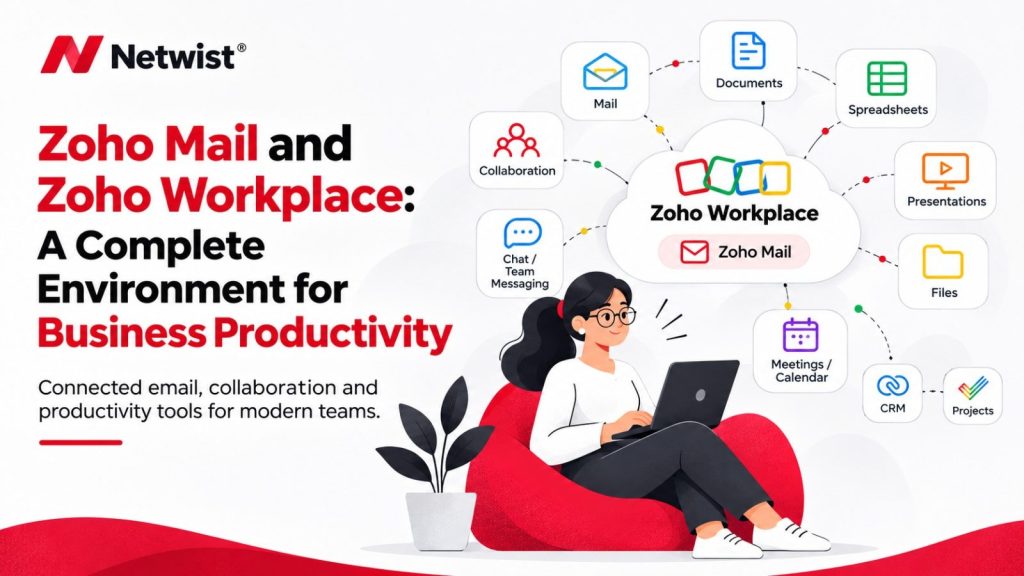
- Zoho Workplace – Bring together email, documents, file management, communication, and collaboration.
This ecosystem can help businesses connect communication with customer management, sales, support, marketing, and internal operations.
For organisations that want to expand their digital capabilities over time, this is an important advantage.
Gmail and Google Workspace
Gmail is closely integrated with Google’s productivity environment.
Businesses can connect their email with:
- Google Calendar for scheduling.
- Google Drive for cloud storage and file sharing.
- Google Docs for document creation.
- Google Sheets for spreadsheets.
- Google Slides for presentations.
- Google Meet for video meetings.
- Google Chat for team communication.
Google Workspace also supports integrations with many third-party applications, making it suitable for businesses that already rely on Google’s services.
7. Pricing and Overall Value
Pricing is an important factor when choosing a professional email service.
However, comparing subscription costs alone does not always provide a complete picture.
The total value depends on the number of users, storage requirements, available features, security options, and the additional applications included in each subscription.
Zoho Mail Pricing
Zoho offers different email hosting plans, with features and storage allowances depending on the selected subscription and region.
For businesses that primarily need professional email hosting, Zoho Mail can be an attractive option.
Organisations that require additional productivity and collaboration applications can also explore Zoho Workplace and other Zoho services.
Google Workspace Pricing
Google Workspace offers several subscription plans designed for different business requirements.
Plans differ in available applications, storage, security and administration features, and collaboration capabilities.
For businesses that need professional email together with Google’s productivity applications, Workspace provides an integrated subscription environment.
Which Offers Better Value?
The best-value option depends on what your business actually needs.
If professional email is your main requirement, compare the email hosting plans directly.
If you also need document collaboration, cloud storage, video meetings, and business applications, compare the complete productivity packages.
Always review current pricing, storage limits, and plan features before making a decision.
8. Zoho Mail vs Gmail for Small Businesses
Small businesses often need a reliable email solution without unnecessary complexity or high operating costs.
Both Zoho Mail and Gmail for Business can meet these requirements, but they may suit different working environments.
Why Small Businesses May Choose Zoho Mail
Zoho Mail can be a good choice for businesses that:
- Need professional email with their own domain.
- Want a clean and organised email interface.
- Are interested in the wider Zoho ecosystem.
- Plan to use Zoho CRM or other Zoho business applications.
- Want to connect email with customer management and business processes.
- Prefer to select services according to their operational needs.
- Value an ad-free email experience and a privacy-focused approach to business communication.
Why Small Businesses May Choose Gmail for Business
Gmail for Business may be a better fit for businesses that:
- Already use Google applications.
- Prefer Gmail’s familiar interface.
- Depend on Google Drive and Google Docs.
- Need simple cloud-based collaboration.
- Want to manage email and productivity applications through Google Workspace.
Ultimately, the right choice should reflect how your business operates and which applications provide the most value to your team.
9. Email Migration: Moving from Gmail to Zoho Mail
If your business is considering moving from Gmail to Zoho Mail, the migration process should be carefully planned.
Email migration involves more than simply creating new accounts.
Depending on your existing setup, the process may include:
- Creating and verifying your Zoho Mail organisation.
- Configuring your domain.
- Setting up user accounts and email aliases.
- Migrating existing emails.
- Transferring contacts and calendars where supported.
- Updating DNS records, including MX records.
- Configuring SPF, DKIM, and DMARC.
- Testing incoming and outgoing email.
- Updating email applications and mobile devices.
A properly planned migration helps reduce downtime, minimise disruptions, and protect important business communication.
It is also important to communicate the migration process to employees and ensure that everyone can access their new email accounts.
Professional assistance can make the transition smoother, especially for businesses with multiple users or complex email configurations.
10. Why Professional Email Setup Matters
Choosing a good email platform is only part of the process.
Correct configuration is essential to ensure that your business email works reliably and that messages can be delivered and received properly.
Important configuration tasks include:
- Domain and DNS management.
- MX record configuration.
- SPF, DKIM, and DMARC setup.
- User and mailbox creation.
- Email aliases and forwarding.
- Mobile and desktop email configuration.
- Security settings and access management.
- Email migration and testing.
Incorrect configuration can lead to delivery problems, authentication failures, spam filtering issues, and unnecessary interruptions.
At Netwist, we help businesses configure and manage professional email solutions, including Zoho Mail and other business email services.
Our goal is to make business communication reliable, secure, and easy to manage.
11. Final Verdict: Zoho Mail or Gmail for Business?
Zoho Mail and Gmail for Business are both excellent options for professional email hosting.
Zoho Mail is particularly attractive for businesses that want professional email combined with access to the wider Zoho ecosystem. Its integration possibilities can help organisations connect email with CRM, customer support, project management, and other business applications.
Another important advantage is its privacy-focused approach. Zoho Mail offers an ad-free email experience and states that it does not use email content for advertising purposes. For businesses that value privacy and want to avoid advertising-driven email experiences, this makes Zoho Mail an attractive alternative.
Gmail for Business is an excellent choice for businesses that already use Google services and prefer a familiar email interface combined with Google’s cloud-based productivity tools.
There is no universal winner. The right solution depends on your business requirements, existing tools, budget, and future plans.
If you are looking for professional email hosting and want to explore the wider Zoho ecosystem, Zoho Mail is certainly worth considering.
12. Need Help Choosing or Setting Up Your Business Email?
Choosing and configuring the right business email service does not have to be complicated.
Whether you are setting up professional email for the first time, migrating from another provider, or looking to improve your existing email environment, Netwist can help.
As a Zoho Partner, we can help you explore Zoho Mail and the wider Zoho ecosystem, configure your business email, manage domain settings, and connect the right applications to support your business.
Let’s make your business communication work smarter.
Contact Netwist today to discuss the right email solution for your business.