

A comprehensive guide to live chat, AI chatbots, lead generation, customer engagement and integration with the Zoho ecosystem
Every day, potential customers visit your business website, explore your services, compare products and evaluate whether your company can meet their needs.
But how many of these visitors actually contact your business? How many potential sales opportunities are lost because visitors cannot immediately find the information they need? And how effectively is your business leveraging its existing website traffic?
Zoho SalesIQ is a comprehensive customer engagement platform that combines live chat, real-time visitor tracking, intelligent chatbots, artificial intelligence and business process automation.
Its true potential, however, becomes apparent when it is integrated with the wider Zoho ecosystem.
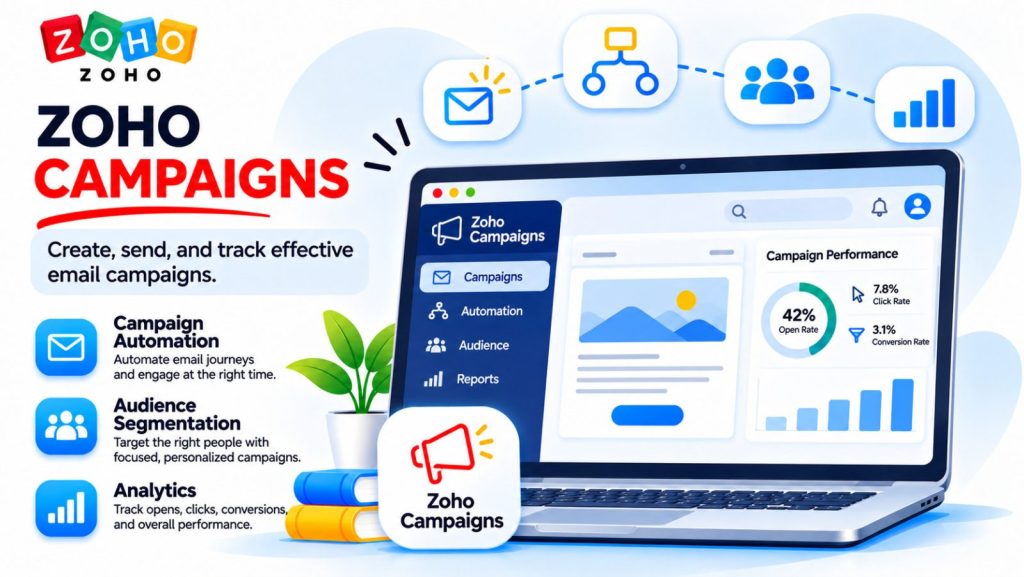
Through integration with Zoho CRM, Zoho Desk, Zoho Campaigns, Zoho Bookings, Zoho Analytics and other business applications, a simple website conversation can become the starting point of an entire customer journey — from initial engagement and lead qualification to sales, project delivery and ongoing customer support.
Your website should not simply be a passive presentation of your business. It should be an active digital channel for communication, sales, customer engagement and business growth.
1. What Is Zoho SalesIQ?
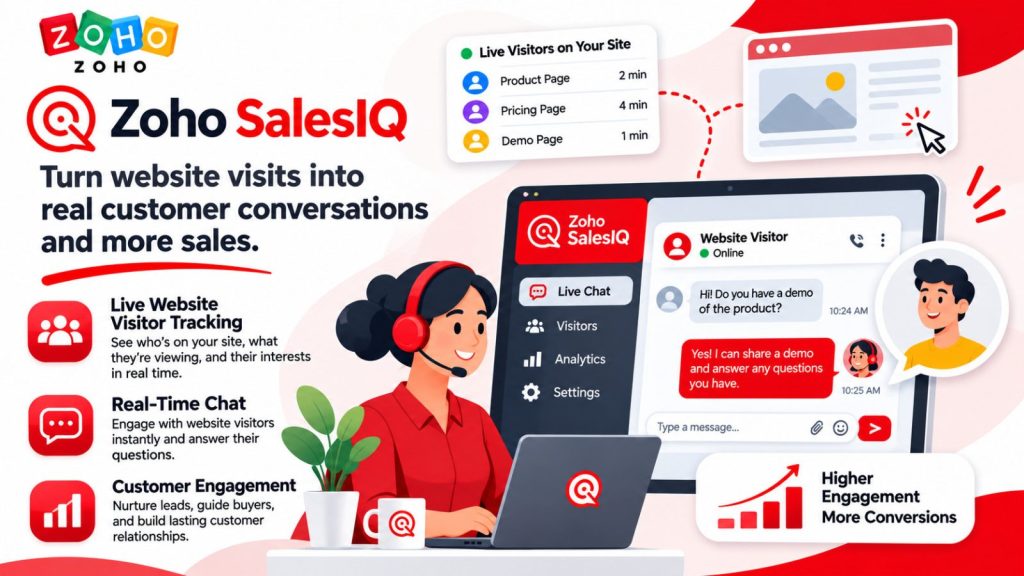
Zoho SalesIQ is a cloud-based customer engagement platform designed to help businesses communicate more effectively with website visitors, identify potential sales opportunities and deliver timely customer support.
Unlike conventional live chat software, Zoho SalesIQ combines visitor intelligence, automation, artificial intelligence and communication management within a unified environment.
Its key capabilities include:
- Real-time live chat.
- Website visitor tracking.
- Sales opportunity identification.
- Lead generation and qualification.
- Automated chatbots.
- AI-powered customer assistance.
- Proactive visitor engagement.
- Omnichannel communication.
- Intelligent chat routing.
- Appointment scheduling through integrations.
- Reporting and performance analytics.
- Integration with Zoho and third-party business applications.
SalesIQ can be used by sales teams, marketing departments, customer service representatives and technical support teams, creating a central communication point between a business and its audience.
2. Why Your Business Website Needs More Than a Contact Form
Most business websites include a contact form, a telephone number and an email address.
Although these are important communication channels, they rely on visitors taking the initiative to contact the business.
In reality, potential customers may leave a website because:
- They cannot easily find the information they need.
- They have a specific question before making a purchase.
- They are unsure which service best meets their requirements.
- They do not want to complete a lengthy contact form.
- They need immediate clarification.
- They are visiting outside normal business hours.
- They are not yet ready to make a telephone call.
Zoho SalesIQ helps businesses reduce these communication barriers by providing a more immediate and interactive customer experience.
Instead of simply waiting for potential customers to contact you, your business can offer assistance at relevant moments throughout their website journey.
This approach can help improve engagement, reduce uncertainty and create additional opportunities for meaningful customer interactions.
3. Key Features of Zoho SalesIQ
Live Chat: Communicate with Website Visitors in Real Time
Zoho SalesIQ enables website visitors to communicate directly with your sales or customer support representatives.
Through a customizable chat widget, visitors can ask questions, request information or receive assistance without leaving your website.
Your team can manage conversations from desktop and mobile devices.
Depending on the subscription plan and configuration, available capabilities may include:
- File sharing.
- Canned responses.
- Chat transfers between operators.
- Conversation history.
- Automatic chat translation.
- Audio and video calls.
- Screen sharing.
- Customer satisfaction ratings.
- Department-based chat routing.
For businesses, immediate communication can help reduce response times, improve the visitor experience and support purchasing decisions.
Real-Time Website Visitor Tracking
One of the features that distinguishes Zoho SalesIQ from conventional live chat software is its ability to provide insights into website visitor activity.
Depending on available information, technical configuration and applicable privacy permissions, businesses may access information such as:
- The page a visitor is currently viewing.
- Time spent on the website.
- Previously visited pages.
- Traffic sources.
- Approximate geographical location.
- New or returning visitor status.
- Previous conversations.
- Available customer information from Zoho CRM.
For example, a visitor who repeatedly returns to a specific service page may demonstrate a higher level of interest than someone who visits the homepage once.
This does not necessarily mean that the visitor is ready to purchase. However, it provides useful context that can help sales teams prioritize their engagement activities.
It is important to understand that SalesIQ does not automatically reveal the real identity of every anonymous website visitor. Identification depends on available information, previous interactions and appropriate data integration.
Visitor Scoring: Identify High-Interest Prospects
Zoho SalesIQ allows businesses to prioritize visitors based on selected characteristics and behavioral signals.
A business could design an illustrative scoring model such as the following:
| Visitor Activity | Example Score |
|---|---|
| First website visit | +5 |
| Visits a service page | +10 |
| Visits a pricing page | +20 |
| Returns to the website | +15 |
| Initiates a conversation | +25 |
| Requests a consultation | +40 |
These scores are hypothetical examples rather than predefined SalesIQ values. Implementing individual criteria depends on available features and integrations.
Visitor scoring can help sales teams distinguish between visitors who are conducting initial research and those who demonstrate stronger commercial interest.
Proactive Customer Engagement
Through automated engagement rules, Zoho SalesIQ can display targeted messages when specific conditions are met.
For example, a visitor exploring a service page could receive the following message:
“Would you like help finding the right solution for your business?”
A visitor reviewing a pricing page might receive:
“Do you have any questions about our available packages or implementation costs?”
A returning visitor to a hotel website could see:
“Planning your next stay? Our team can help you explore your accommodation options.”
Proactive engagement should be carefully designed to provide genuine assistance rather than interrupting visitors with unnecessary or repetitive messages.
4. Zoho SalesIQ Chatbots: Automated Customer Engagement Around the Clock
Not every business can maintain a customer service team that is available 24 hours a day.
Chatbots enable businesses to automate selected communication processes, even when human representatives are unavailable.
Zobot: Build Intelligent Business Chatbots
Zobot is Zoho SalesIQ’s chatbot development platform.
Using supported visual development tools and programming capabilities, businesses can create automated conversations that follow specific business rules and workflows.
A properly configured Zobot can:
- Welcome website visitors.
- Present products and services.
- Collect contact information.
- Ask lead qualification questions.
- Recommend appropriate services.
- Create records in Zoho CRM.
- Facilitate appointment scheduling.
- Transfer conversations to human representatives.
- Collect customer support requests.
- Trigger external business processes.
- Retrieve approved information from connected applications.
Practical Example: A B2B Services Chatbot
Consider a technology consulting company that wants to identify the purpose of each website inquiry.
The chatbot could begin with:
“Welcome! How can we help you today?”
The visitor could select one of the following options:
- I am interested in a new service.
- I need technical support.
- I would like to schedule a consultation.
- I am an existing customer.
- I would like to speak with a representative.
If the visitor is interested in implementing a CRM system, the chatbot could ask additional questions about:
- Company size.
- Number of users.
- Existing software applications.
- Business requirements.
- Expected implementation timeframe.
With the appropriate integration, the information can be transferred to Zoho CRM, allowing the sales team to prepare for the initial consultation.
Answer Bot and Artificial Intelligence
In addition to structured chatbot conversations, Zoho SalesIQ provides AI-powered customer assistance capabilities.
Depending on the available features and configuration, AI-generated answers can draw on approved knowledge sources such as:
- Frequently asked questions.
- Help center articles.
- Product descriptions.
- User guides.
- Technical documentation.
- Website content.
- Supported Zoho Desk knowledge base content.
For example, a website visitor might ask:
“Can I integrate Zoho CRM with my WordPress website?”
An appropriately configured Answer Bot can provide relevant information based on available knowledge resources and, when necessary, direct the visitor to a human representative.
Artificial intelligence does not eliminate the need for human supervision.
Businesses should regularly evaluate chatbot responses, maintain accurate knowledge sources and ensure that complex or sensitive requests can be escalated to the appropriate team.
5. The Real Power of Zoho SalesIQ: Integration with the Zoho Ecosystem
The most significant advantage of Zoho SalesIQ is not simply its individual features.
It is the ability to connect customer engagement with other business applications.
Within a well-designed digital business environment, each application performs a specific role while relevant information and business activities flow between systems.
| Application | Business Role Alongside SalesIQ |
|---|---|
| Zoho CRM | Lead, customer and sales opportunity management |
| Bigin | Simplified pipeline management for small businesses |
| Zoho Desk | Customer support and ticket management |
| Zoho Campaigns | Targeted email marketing |
| Zoho Bookings | Appointment scheduling |
| Zoho Analytics | Business intelligence and unified reporting |
| Zoho Assist | Remote technical support |
| Zoho Lens | Augmented reality remote assistance |
| Zoho Cliq | Internal communication and notifications |
| Zoho Projects | Project and task management |
| Zoho Survey | Customer feedback and satisfaction surveys |
| Zoho Checkout | Payment-related workflows |
| Zoho Sites | Website customer engagement |
| Zoho LandingPage | Campaign landing page engagement |
| Zoho Flow | Cross-application workflow automation |
| Zoho Creator | Custom business applications |
| Zoho Books | Financial workflows through connected applications |
| Zoho Inventory | Product and inventory information through custom integrations |
Some of these applications provide native SalesIQ integrations, while others require APIs, webhooks, Zoho Flow, custom widgets or intermediate applications.
This distinction is important because not every business workflow becomes available automatically when a SalesIQ subscription is activated.
The real business value comes from designing the right combination of applications, integrations and processes.
6. Zoho SalesIQ and Zoho CRM: From Website Visitor to Sales Opportunity
Integration with Zoho CRM is one of the most compelling reasons to implement Zoho SalesIQ.
While SalesIQ manages visitor engagement and captures relevant information, Zoho CRM organizes the subsequent sales process.
What Can the Integration Achieve?
With the appropriate configuration, businesses can:
- Create leads and contacts from conversations.
- Recognize existing customers when sufficient information is available.
- Access relevant CRM information within SalesIQ.
- Associate conversation history with customer records.
- Utilize website visitor activity within CRM processes.
- Notify sales teams about potential opportunities.
- Create follow-up activities.
- Assign leads to appropriate sales representatives.
- Support lead qualification and sales pipeline management.
Practical Example: An IT Consulting Company
A potential customer visits a technology consulting company’s website to explore CRM implementation services.
The customer journey could be organized as follows:
- The visitor opens the Zoho CRM services page.
- SalesIQ displays a relevant invitation to start a conversation.
- A chatbot collects information about the visitor’s business requirements.
- A new lead is created in Zoho CRM.
- Relevant conversation information is associated with the lead.
- A CRM assignment rule assigns the lead to an appropriate consultant.
- A follow-up task is created.
- The consultant prepares for the meeting using the collected information.
- If the lead qualifies, it progresses through the sales pipeline.
Instead of starting the conversation without any context, the sales representative already understands which service interests the prospect, what their main requirements are and what has been discussed.
The result is a more structured sales process, reduced repetitive data entry and more personalized customer communication.
Zoho SalesIQ and Bigin for Small Businesses
Smaller businesses that do not require the complexity of a full-featured CRM platform can also explore integration with Bigin by Zoho CRM.
This combination can help small teams capture inquiries, organize customer communication and manage sales pipelines without introducing unnecessary operational complexity.
7. Zoho SalesIQ and Zoho Desk: Delivering Connected Customer Support
Customer engagement does not end when a sale is completed.
The quality of after-sales support plays an important role in customer satisfaction, retention and long-term business relationships.
Zoho Desk is Zoho’s help desk and customer service management platform.
Through its integration with SalesIQ, website conversations can become structured customer support tickets.
Practical Example: Website Technical Support
An existing customer experiences a problem with their business website and contacts the support team through live chat.
The process could work as follows:
- The customer describes the issue.
- The support representative reviews available customer information.
- If the issue cannot be resolved immediately, the conversation becomes a Zoho Desk ticket.
- The ticket is assigned to the appropriate technical department.
- Configured priorities and service-level agreements are applied.
- The technical team investigates the issue.
- The customer receives progress updates.
- Following resolution, customer feedback can be collected.
Instead of being lost across disconnected emails or chat conversations, the request becomes a documented and manageable support process.
Leveraging the Zoho Desk Knowledge Base
Businesses that maintain a structured knowledge base in Zoho Desk can utilize supported content within SalesIQ chatbot experiences.
For example, customers could receive automated assistance with questions about:
- Business email configuration.
- Application usage.
- Installation procedures.
- Troubleshooting instructions.
- Service policies.
- Technical support procedures.
This allows support teams to spend more time addressing issues that genuinely require human expertise.
8. Zoho SalesIQ and Zoho Campaigns: Connecting Email Marketing with Website Engagement
Zoho Campaigns enables businesses to create newsletters, targeted email marketing campaigns and automated communication sequences.
When combined with SalesIQ, businesses can connect email marketing activities with subsequent website engagement.
Practical Example: Promoting a New Business Service
A company sends a newsletter introducing a new business process automation service.
A recipient clicks a link within the newsletter and visits the relevant service page.
With appropriate integration, tracking configuration and privacy permissions, the business may associate the website visit with the email marketing activity.
The process could continue as follows:
- The recipient visits the website.
- SalesIQ captures available visitor activity.
- A relevant chat invitation is displayed.
- The visitor requests additional information.
- Relevant conversation details are recorded in Zoho CRM.
- The sales team follows up with the prospect.
- Additional targeted marketing communication may follow where permitted.
The business can move beyond simply measuring email opens and clicks to understanding how marketing activities contribute to meaningful conversations and potential sales opportunities.
Important: Creating a contact in SalesIQ or Zoho CRM does not automatically establish consent to receive promotional emails.
9. Zoho SalesIQ and Zoho Bookings: Turn Conversations into Appointments
Scheduling a business meeting often requires multiple emails or telephone calls.
Integration with Zoho Bookings can incorporate appointment scheduling into the customer engagement process.
Through a supported chatbot or communication workflow, visitors can select an available appointment date and time.
Practical Example: A Business Consulting Company
A potential customer is interested in digital transformation consulting.
The chatbot could:
- Collect basic information about the consultation.
- Identify the appropriate consulting service.
- Present available appointment options through Zoho Bookings.
- Allow the visitor to schedule a meeting.
- Trigger configured confirmation and reminder processes.
- Make relevant prospect information available to the consultant through CRM integration.
The appointment can be arranged without requiring repeated manual communication about availability.
This approach is particularly useful for:
- Business consultants.
- Technology companies.
- Educational organizations.
- Professional service providers.
- Real estate businesses.
- Organizations that operate through scheduled appointments.
10. Zoho SalesIQ and Zoho Analytics: Turning Customer Data into Business Intelligence
Collecting information is valuable only when a business can transform it into meaningful insights.
Zoho Analytics provides advanced reporting, data visualization and business intelligence capabilities.
By combining appropriately connected data from SalesIQ, Zoho CRM, Zoho Desk and other applications, management teams can gain a broader understanding of business performance.
What Can Businesses Measure?
- Which website pages generate the most conversations.
- Which traffic sources produce the most leads.
- How many conversations become qualified sales opportunities.
- Which marketing campaigns contribute to sales.
- Average customer response times.
- Frequently asked customer questions.
- Customer support volumes.
- Department workloads.
- Customer satisfaction.
- Revenue associated with customer engagement activities.
Creating these reports requires appropriate data connections, consistent record matching and clearly defined performance indicators.
Example of a Monthly Business Dashboard
| Performance Indicator | Illustrative Result |
|---|---|
| Unique website visitors | 10,000 |
| Visitors initiating conversations | 350 |
| New leads | 120 |
| Qualified sales opportunities | 60 |
| Scheduled appointments | 35 |
| New customers | 12 |
| Attributed revenue | €18,000 |
These figures are hypothetical and are provided solely to demonstrate the potential of combined business reporting.
Rather than evaluating website traffic in isolation, management can examine how digital engagement contributes to sales and customer service outcomes.
11. Zoho SalesIQ and Zoho Assist: Immediate Remote Technical Support
Some technical issues cannot be resolved effectively through written communication alone.
Zoho Assist provides remote access and technical support capabilities.
Through supported integration with SalesIQ, a technical representative can move from an initial conversation to a remote support session.
Practical Example: Business Email Configuration
A customer is experiencing difficulties configuring Zoho Mail on their computer.
The customer initially contacts the support team through SalesIQ.
After evaluating the issue, the technician suggests a Zoho Assist remote support session.
With the customer’s consent and appropriate access controls, the technician can examine the configuration, identify the problem and assist with its resolution.
If Zoho Desk is also integrated, the support incident can be documented and tracked as part of a structured ticket management process.
This combination is particularly valuable for technology providers, IT support companies and software implementation partners.
12. Zoho SalesIQ and Zoho Lens: Visual Remote Assistance
Zoho Lens uses augmented reality technology to provide remote visual assistance.
Through the camera of a compatible device, a technician can view the customer’s physical environment and provide visual guidance.
Practical Example: Technical Equipment Support
A customer contacts a technical equipment supplier through SalesIQ because a device is not operating correctly.
Using a supported Zoho Lens workflow and obtaining appropriate consent, the technical team can visually examine the equipment, highlight relevant components and determine whether an on-site visit is required.
This approach can be particularly valuable for:
- Equipment manufacturers.
- Installation companies.
- Telecommunications providers.
- Maintenance businesses.
- Industrial equipment suppliers.
- Field service organizations.
It can help businesses assess problems more effectively before dispatching technical personnel.
13. Zoho SalesIQ and Zoho Cliq: Notify the Right Team at the Right Time
Effective internal communication directly influences the quality of customer service.
Zoho Cliq is Zoho’s business communication and collaboration platform.
Through supported integrations and automation workflows, SalesIQ events can trigger notifications to relevant employees or departments.
Example Scenarios
A notification could be generated when:
- A potential customer demonstrates strong commercial interest.
- An important customer requests support.
- A conversation requires technical expertise.
- A chatbot identifies a request that requires human intervention.
- A qualified prospect requests an immediate consultation.
For example, a chatbot could notify the appropriate Zoho Cliq channel when a business expresses interest in implementing Zoho One.
The relevant sales or consulting team can then organize the next action without relying exclusively on manual monitoring.
14. Zoho SalesIQ and Zoho Projects: From Conversation to Project Delivery
Zoho Projects is a comprehensive project and task management platform.
Through supported integrations and configured workflows, customer conversations can lead to tasks or issues within a project management environment.
Practical Example: A Web Development Agency
An existing customer contacts a web development agency through live chat to request a new website feature.
The conversation could initiate the following process:
- The customer’s requirements are recorded.
- A relevant task is created in Zoho Projects.
- The task is assigned to an appropriate team member.
- Technical requirements are evaluated.
- Implementation is scheduled according to the company’s procedures.
- Progress is monitored until completion.
If the request requires a quotation or customer approval, it can become part of a broader workflow involving Zoho CRM and Zoho Books.
The initial conversation becomes a structured business activity with clear ownership and measurable progress.
15. Zoho SalesIQ and Zoho Survey: Measure the Customer Experience
Understanding customer satisfaction is essential for continuous business improvement.
Zoho Survey enables businesses to create targeted surveys and feedback questionnaires.
Through supported integrations, a survey can be incorporated into the customer engagement process.
Example questions include:
- How satisfied were you with the assistance provided?
- Did you find the information you were looking for?
- Was your issue successfully resolved?
- How would you rate our response time?
- What could we improve?
Businesses can use the results to identify recurring problems, improve employee training and refine customer service processes.
When combined with Zoho Analytics, feedback data can contribute to broader customer experience reporting.
16. Zoho SalesIQ and Zoho Checkout: Supporting Payment Workflows
In supported environments, integration with Zoho Checkout can incorporate payment-related activities into the customer engagement journey.
For example, a business offering a fixed-price service could direct an interested customer to an appropriate online payment process.
Potential use cases include:
- Consulting service payments.
- Training courses.
- Predefined service packages.
- Deposits where supported.
- Other structured payment workflows.
Availability depends on the country, subscription, payment application and supported payment gateway.
Sensitive payment information should never be collected as plain text within a chat conversation. Payments should be completed through an appropriate secure payment infrastructure.
17. Zoho SalesIQ, Zoho Flow and Zoho Creator: Advanced Business Automation
Every organization has unique operational requirements.
While native SalesIQ integrations offer significant capabilities, some businesses require more specialized workflows.
Zoho Flow: Connecting Business Applications
Zoho Flow is an application integration and workflow automation platform.
Using appropriate triggers, webhooks, APIs or intermediate applications, businesses can create advanced workflows originating from SalesIQ conversations.
Examples include:
- Generating internal notifications.
- Updating connected business applications.
- Transferring selected customer information.
- Creating tasks.
- Initiating approval processes.
- Connecting with external information systems.
- Synchronizing selected business records.
For example, a qualified lead could trigger a sequence of activities across CRM, internal communication and project management applications.
Zoho Creator: Developing Custom Business Applications
Zoho Creator is a low-code application development platform that enables businesses to build customized solutions.
A properly designed SalesIQ chatbot or widget can interact with a Creator application through secure custom integrations.
Consider a technical services company that uses a custom Creator application to manage installations and maintenance requests.
An authorized customer could use the SalesIQ chatbot to request an update on the status of a service request.
Before returning confidential information, the application must verify the customer’s identity and access permissions.
This approach transforms SalesIQ from a simple communication channel into an interactive access point for selected business functions.
18. Zoho SalesIQ, Zoho Books and Zoho Inventory
Although Zoho SalesIQ is not an accounting or inventory management application, it can participate in broader business workflows involving Zoho Books and Zoho Inventory.
Practical Example: From Customer Inquiry to Quotation
A potential customer contacts a business through SalesIQ and requests a quotation.
The workflow could be designed as follows:
- Customer information is recorded in Zoho CRM.
- A sales opportunity is created.
- The responsible employee evaluates the requirements.
- A quotation is prepared through an appropriate CRM and Zoho Books integration.
- The quotation is sent to the customer.
- Once approved, the order, invoicing and delivery processes follow.
The initial website conversation becomes part of an organized commercial process.
Practical Example: Product Availability
A retail or wholesale business using Zoho Inventory could develop a custom integration that allows its chatbot to provide selected product availability information.
Such an implementation requires appropriate APIs, product mapping, access controls and reliable data synchronization.
The business should not promise real-time availability unless the underlying information is updated with sufficient accuracy and frequency.
These examples represent custom business workflows rather than necessarily available out-of-the-box SalesIQ features.
19. Zoho SalesIQ and WordPress: Transform Your Website into an Active Sales Channel
Zoho SalesIQ can be installed on WordPress websites through supported plugins or by implementing the embed code provided by the application.
Similar approaches can be used for WooCommerce stores and other supported website platforms.
However, the real value does not come simply from displaying a chat icon.
It comes from designing the overall website engagement experience.
A professional implementation may include:
- Different chat invitations for individual service pages.
- Specialized chatbots for different customer requirements.
- Multilingual customer communication.
- CRM integration.
- Automated lead qualification.
- Appointment scheduling.
- Customer support workflows.
- Selected analytics event tracking.
- Appropriate cookie and consent management.
- Mobile-friendly chat experiences.
The implementation should also consider website performance, accessibility and usability across different devices.
A chat widget is not a sales strategy on its own. Its value depends on how effectively it is integrated into the website and the organization’s business processes.
20. Omnichannel Customer Engagement with Zoho SalesIQ
Modern customers communicate through multiple digital channels.
Depending on supported features, subscription plans and regional availability, Zoho SalesIQ can help businesses manage communication across channels such as:
- Business websites.
- Mobile applications.
- WhatsApp Business.
- Facebook Messenger.
- Instagram.
- Telegram.
- Other supported communication channels.
Managing these interactions within a more organized environment can help businesses reduce fragmented communication across disconnected applications.
For example, a hotel may receive customer inquiries through its website, Instagram and WhatsApp.
With appropriate configuration, conversations can be routed to relevant employees, associated with known customer records where possible and managed more systematically.
Individual channels may have additional requirements, approval processes, fees or communication restrictions imposed by their respective providers.
21. A Complete Business Workflow: Zoho SalesIQ and Zoho One
Consider a technology and consulting company using the Zoho One ecosystem.
A potential customer visits its website while researching business process automation solutions.
The entire customer journey could be supported through the following connected applications:
| Stage | Application | Business Activity |
|---|---|---|
| 1. Attraction | WordPress | The visitor discovers a business service |
| 2. Engagement | Zoho SalesIQ | The visitor starts a chatbot conversation |
| 3. Qualification | Zoho SalesIQ | Business requirements are collected |
| 4. Lead Creation | Zoho CRM | A new lead is created |
| 5. Notification | Zoho Cliq | The appropriate team is notified |
| 6. Appointment | Zoho Bookings | A consultation is scheduled |
| 7. Follow-up | Zoho CRM | Sales activities are organized |
| 8. Marketing | Zoho Campaigns | Relevant content is sent where permitted |
| 9. Quotation | Zoho Books / CRM | A quotation is prepared |
| 10. Delivery | Zoho Projects | The new project is organized |
| 11. Support | Zoho Desk | Customer support requests are managed |
| 12. Technical Assistance | Zoho Assist | Remote technical support is provided |
| 13. Feedback | Zoho Survey | Customer satisfaction is evaluated |
| 14. Business Intelligence | Zoho Analytics | Overall business performance is analyzed |
This workflow requires appropriate application configuration, business rules and custom integrations where necessary.
It does not mean that every process becomes available automatically when SalesIQ is installed.
However, it demonstrates the philosophy behind an integrated digital business ecosystem.
A single website conversation can become the starting point of an entire customer relationship, connecting marketing, sales, finance, project delivery and customer support.
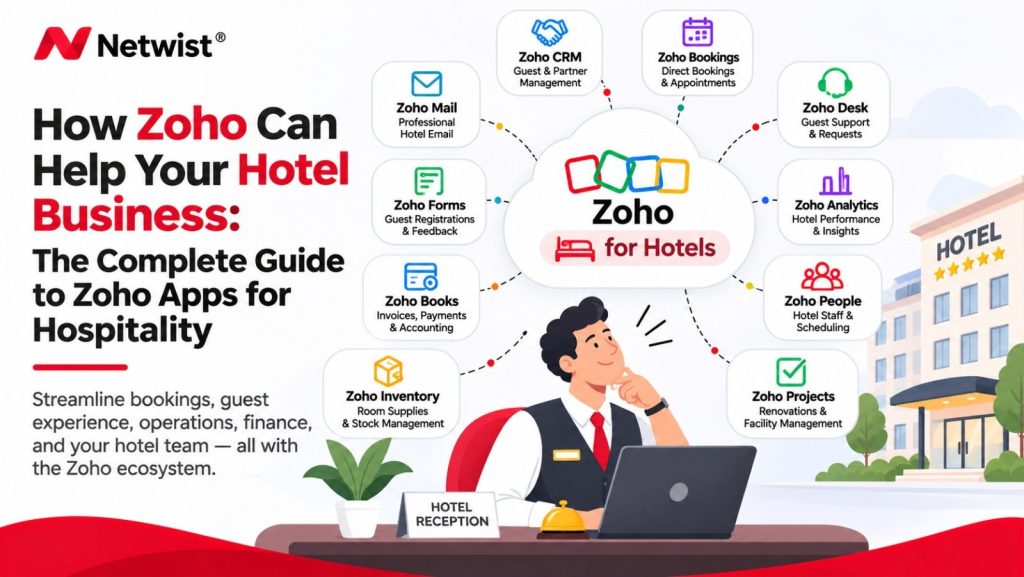
22. Zoho SalesIQ for Hotels and Hospitality Businesses
The hospitality industry is an excellent example of a business environment where immediate communication can influence purchasing decisions.
Potential guests frequently need information about:
- Room types.
- Availability.
- Hotel facilities.
- Cancellation policies.
- Airport transfers.
- Family accommodation.
- Special offers.
- Direct booking options.
A well-designed chatbot can provide essential information even outside normal reception hours.
Practical Example: From Website Visit to Direct Booking
- A potential guest searches for accommodation in Greece.
- They visit the hotel’s official website.
- SalesIQ offers assistance in a supported language.
- The chatbot collects travel dates and the number of guests.
- If an appropriate booking engine integration exists, available options can be presented. Otherwise, the guest is directed to the official booking engine or reservations team.
- Hotel employees handle additional requirements.
- Where permitted, future communication can be organized through Zoho Campaigns.
- Engagement and booking-related information can be evaluated through Zoho Analytics.
Integration with a hotel’s property management system or booking engine requires compatible APIs and appropriate technical implementation.
Zoho SalesIQ does not replace a hotel booking engine or property management system.
However, it can become an important component of a hotel’s direct booking strategy by improving communication with potential guests.
23. Zoho SalesIQ for eCommerce Businesses
In eCommerce, the absence of immediate assistance can become a barrier to completing a purchase.
Online shoppers may have questions about:
- Product specifications.
- Shipping methods.
- Delivery times.
- Returns.
- Product availability.
- Compatibility.
- Payment options.
Zoho SalesIQ can support the purchasing experience by providing relevant assistance during website browsing.
Practical Example: Pre-Purchase Customer Assistance
A visitor is comparing two products and is unsure which one best meets their requirements.
Through live chat or an appropriately configured chatbot, the customer can receive information about the differences between the products.
With suitable integrations, the support team may also access selected information about product availability or previous orders.
Following the purchase, Zoho Desk can manage support requests, while Zoho Campaigns can support future marketing communication where permitted.
The customer experience extends beyond completing a transaction and contributes to the development of a longer-term relationship.
24. How to Set Up and Configure Zoho SalesIQ
The initial installation of Zoho SalesIQ can be relatively straightforward.
However, implementing a fully integrated business engagement platform requires careful planning.
Step 1: Create Your Zoho SalesIQ Account
Visit the official Zoho SalesIQ website and create an account or sign in using your existing Zoho account.
If your business already uses Zoho One, review the available SalesIQ features, permissions and subscription limits.
Step 2: Configure Your Business Brand
Set up your business information, website, corporate identity and available communication options.
If your organization operates multiple brands or websites, structure them according to your business requirements and subscription capabilities.
Step 3: Customize the Chat Widget
Configure elements such as:
- Corporate colors.
- Company logo.
- Welcome message.
- Widget placement.
- Communication languages.
- Available chat options.
- Information requested from visitors.
The chat widget should feel like a natural part of the website rather than an interruption to the browsing experience.
Step 4: Install SalesIQ on Your Website
Use the provided embed code or an appropriate supported integration for your website platform.
Test the implementation across different devices and browsers.
Configure the website’s consent management mechanism before activating non-essential visitor tracking technologies.
Step 5: Create Departments and Teams
Organize your internal business structure.
Example departments include:
- Sales.
- Customer Support.
- Technical Support.
- Accounting.
- Reservations.
- General Inquiries.
Define operators, access permissions and conversation assignment rules.
Not every employee needs access to every category of customer information.
Step 6: Configure Business Hours
Define when human representatives are available and what happens outside normal operating hours.
Possible options include:
- Automated responses.
- Contact request collection.
- Chatbot assistance.
- Appointment scheduling.
- Support request submission.
Visitors should clearly understand whether they are communicating with a human representative or an automated system.
Step 7: Build Your Knowledge Base
Organize the business information used to support customers.
A well-structured knowledge base may include:
- Product and service information.
- Frequently asked questions.
- Technical documentation.
- Troubleshooting instructions.
- Customer service policies.
- Company procedures.
If your organization uses Zoho Desk, evaluate how supported knowledge base content can be incorporated into SalesIQ.
Step 8: Build Your First Zobot
Start with a simple chatbot that identifies the visitor’s primary reason for contacting your business.
Create basic conversation paths for:
- New sales inquiries.
- Existing customers.
- Technical support.
- Appointment scheduling.
- Human representative assistance.
Introduce more advanced functionality gradually after evaluating the performance of the initial chatbot.
Step 9: Connect Your Zoho Applications
Prioritize the applications that provide the greatest business value.
For a B2B organization, the initial integration priorities might include:
- Zoho CRM.
- Zoho Desk.
- Zoho Bookings.
- Zoho Campaigns.
- Zoho Analytics.
Configure available integrations and define which information should be transferred, under what conditions and to which application.
Pay particular attention to duplicate records, marketing subscription status and access to existing customer information.
Step 10: Configure Engagement Rules and Automation
Determine when proactive chat invitations should appear, how visitors should be prioritized and which events should trigger business workflows.
Maintain an appropriate balance between automation and human communication.
Step 11: Test the Entire Implementation
Before fully launching the platform, test:
- Chat widget functionality.
- Mobile usability.
- Chatbot responses.
- Transfers to human representatives.
- CRM lead creation.
- Zoho Desk ticket creation.
- Appointment scheduling.
- Internal notifications.
- Consent management.
- Integration error handling.
Alternative procedures should be available when an automated workflow fails.
Step 12: Monitor and Continuously Improve
Installing Zoho SalesIQ is not the final stage of the process.
By reviewing actual conversations, customer questions, reports and business outcomes, organizations can continuously improve their customer engagement strategy.
Exact menu names and configuration options may vary depending on the application version and subscription plan.
25. How to Measure the Business Value of Zoho SalesIQ
The number of conversations alone is not a sufficient indicator of success.
Businesses should monitor performance indicators that relate to specific commercial and operational objectives.
| Key Performance Indicator | What It Measures |
|---|---|
| Visitor-to-Chat Rate | Percentage of visitors initiating conversations |
| Chat-to-Lead Rate | Percentage of conversations generating leads |
| Lead Qualification Rate | Percentage of leads meeting business criteria |
| Appointment Conversion Rate | Percentage of prospects scheduling meetings |
| Lead-to-Customer Rate | Percentage of leads becoming customers |
| Average First Response Time | Average time before the first response |
| Missed Chat Rate | Percentage of unanswered conversations |
| Bot Resolution Rate | Percentage of inquiries resolved through automation |
| CSAT | Customer satisfaction |
| Attributed Revenue | Revenue associated with engagement activities |
| ROI | Financial return on the investment |
Some indicators are available through SalesIQ reporting, while others require custom reports and combined data from CRM, Desk or Analytics.
Illustrative Example: Improving Website Conversion Rates
Consider a business website that receives 5,000 monthly visitors.
Without a structured customer engagement strategy, the website generates 50 inquiries each month.
Following the implementation of a coordinated SalesIQ, CRM and automation strategy, inquiries hypothetically increase to 100.
| Performance Indicator | Before | After |
|---|---|---|
| Monthly website visitors | 5,000 | 5,000 |
| Monthly inquiries | 50 | 100 |
| Website inquiry conversion rate | 1% | 2% |
| New customers at a 20% closing rate | 10 | 20 |
| Monthly revenue at an average initial sale of €500 | €5,000 | €10,000 |
In this hypothetical scenario, the business acquires ten additional customers and generates €5,000 in additional monthly revenue without increasing website traffic.
If these conditions remain consistent throughout the year, the theoretical additional annual revenue would be €60,000.
This represents revenue rather than net profit.
The example is not a forecast or guarantee of results. Its purpose is to demonstrate the potential business value of making better use of existing website traffic.
26. Zoho SalesIQ, GDPR and Data Privacy
Implementing visitor tracking, live chat and automated customer communication introduces important data protection responsibilities.
Businesses operating within the European Union must consider GDPR and applicable electronic communications and tracking requirements.
Organizations should evaluate:
- What personal information is collected.
- Why the information is collected.
- The applicable legal basis for processing.
- Whether prior consent is required.
- How long conversation records are retained.
- Which employees can access customer information.
- Which applications receive transferred data.
- How data subject rights are managed.
- How artificial intelligence features process information.
The implementation of chat widgets and visitor tracking technologies should be coordinated with the website’s privacy policy and consent management platform.
Participation in a chat conversation does not automatically establish permission to receive marketing emails.
Businesses should also minimize the collection of sensitive information and prevent chatbots from accessing confidential business data without appropriate authorization.
Zoho SalesIQ provides capabilities that can support responsible data management. However, using the platform does not automatically make an organization GDPR-compliant.
Compliance depends on the organization’s configuration, business practices and lawful processing activities.
27. How Much Does Zoho SalesIQ Cost?
Zoho SalesIQ is available through different subscription plans designed to accommodate varying business requirements.
| Plan | Typical Use Case |
|---|---|
| Free | Businesses starting with basic customer engagement |
| Basic | Small teams requiring structured live chat capabilities |
| Professional | Businesses requiring more advanced automation and integrations |
| Enterprise | Organizations with advanced AI and customer engagement requirements |
The total cost depends on factors such as:
- Number of operators.
- Selected subscription plan.
- Required integrations.
- AI capabilities.
- Additional communication channels.
- Custom development requirements.
- Implementation and ongoing support.
SalesIQ is also available within the Zoho One ecosystem, subject to applicable subscription terms and usage limits.
For current pricing and feature availability, visit the official Zoho SalesIQ pricing page.
Selecting a subscription should not be based exclusively on monthly licensing costs. Businesses should consider the overall value of the planned implementation.
28. Zoho SalesIQ vs Zoho CRM vs Zoho Desk
Although these applications work closely together, they serve different business purposes.
| Capability | Zoho SalesIQ | Zoho CRM | Zoho Desk |
|---|---|---|---|
| Website live chat | Core capability | Through integration | Through integration |
| Visitor tracking | Core capability | Through SalesIQ data | Not a primary purpose |
| Website chatbots | Core capability | Complementary tools | Self-service capabilities |
| Lead management | Capture and qualification | Core capability | Not a primary purpose |
| Sales pipeline management | Supporting role | Core capability | Not a primary purpose |
| Support ticket management | Through integration | Complementary role | Core capability |
| SLA management | Through support workflows | Not a primary purpose | Core capability |
| Customer engagement | Core capability | Relationship management | Customer support |
SalesIQ manages the initial point of communication and engagement.
CRM manages the commercial relationship.
Desk manages customer support.
The greatest business value comes from connecting all three applications into a coordinated customer journey.
29. Common Mistakes When Implementing Zoho SalesIQ
Installing SalesIQ does not guarantee that a business will effectively utilize its capabilities.
Common implementation mistakes include:
- Installing live chat without a structured customer service process.
- Failing to integrate the platform with CRM.
- Displaying excessive proactive chat invitations.
- Creating chatbots with unnecessary questions.
- Failing to provide access to human representatives.
- Using outdated knowledge base content.
- Allowing uncontrolled AI-generated responses.
- Creating duplicate customer records.
- Failing to configure appropriate assignment rules.
- Providing insufficient employee training.
- Overlooking privacy and data protection requirements.
- Failing to measure business outcomes.
A poorly designed chatbot can create more barriers than it removes.
Technology should simplify communication rather than forcing customers through complicated processes to obtain straightforward answers.
30. A Practical 30-Day Zoho SalesIQ Implementation Plan
Businesses starting with SalesIQ can follow a phased implementation approach.
| Period | Recommended Activities |
|---|---|
| Days 1–7 | Business requirements analysis, subscription selection, widget installation and team configuration |
| Days 8–14 | Chatbot design, knowledge base preparation and CRM integration |
| Days 15–21 | Integration with Desk, Bookings and other essential applications |
| Days 22–30 | Testing, employee training, conversation analysis and initial improvements |
After the first month, businesses can gradually introduce advanced automation, Zoho Analytics reporting and specialized integrations.
The actual implementation timeframe depends on business requirements, technical complexity and existing digital infrastructure.
31. Why Choosing an Experienced Zoho SalesIQ Implementation Partner Matters
Activating a live chat widget or creating a basic chatbot may appear relatively simple.
However, developing a fully integrated customer engagement platform that supports real business processes requires expertise, experience and careful planning.
An experienced implementation partner does more than install software or generate chatbot responses using artificial intelligence.
They analyze how the business operates, understand its sales processes, design appropriate integrations, anticipate technical challenges and ensure that information flows between applications in a structured and controlled manner.
A professional implementation may include:
- Business requirements analysis.
- Customer journey design.
- Zoho SalesIQ configuration.
- Custom chatbot development.
- Knowledge base organization.
- WordPress and WooCommerce integration.
- Zoho CRM and Zoho Desk integration.
- Lead qualification workflow design.
- Automation using Zoho Flow, APIs and Deluge.
- Business intelligence reporting through Zoho Analytics.
- Employee training.
- Continuous evaluation and improvement.
Artificial intelligence can significantly accelerate certain development and configuration activities.
However, the difference between an experienced professional and someone who simply enters prompts into an AI tool lies in their technical knowledge, judgment, understanding of business processes and responsibility for the final implementation.
A successful customer engagement solution requires more than automatically generated conversations. It requires reliable integrations, appropriate security controls, effective data management and a clear understanding of how the technology contributes to business objectives.
The difference between installing a chatbot and implementing a comprehensive business solution lies in strategy, integration architecture and a genuine understanding of the organization’s requirements.
32. Frequently Asked Questions About Zoho SalesIQ
What is Zoho SalesIQ?
Zoho SalesIQ is a customer engagement platform that combines live chat, website visitor tracking, chatbots, artificial intelligence and integrations with business applications.
Is Zoho SalesIQ just a live chat application?
No. In addition to live chat, it supports visitor intelligence, proactive engagement, lead generation, automation and integration with CRM, marketing and customer support applications.
Can I use Zoho SalesIQ without Zoho CRM?
Yes. SalesIQ can operate independently. However, integration with Zoho CRM provides additional capabilities for organizing leads, customer relationships and sales processes.
Is Zoho SalesIQ included in Zoho One?
Yes. SalesIQ is part of the Zoho One ecosystem, subject to applicable subscription terms and usage limits.
Can I install Zoho SalesIQ on WordPress?
Yes. SalesIQ can be integrated into WordPress websites through supported installation methods. It can also be used within WooCommerce environments.
Does Zoho SalesIQ support AI chatbots?
Yes. SalesIQ provides chatbot development capabilities and supported artificial intelligence features, depending on the subscription and configuration.
Can Zoho SalesIQ support multilingual customer communication?
Yes. Businesses can create multilingual chatbot content and utilize supported translation features. AI-generated answers and automatic translation should be tested for accuracy in each required language.
Can Zoho SalesIQ automatically create leads in Zoho CRM?
Yes. With appropriate integration and business rules, available prospect information can be transferred to Zoho CRM.
Can a SalesIQ conversation become a Zoho Desk ticket?
Yes. The native integration supports converting conversations into customer support tickets through supported manual or automated workflows.
Can customers schedule appointments through SalesIQ?
Yes. Supported features and integration with Zoho Bookings can facilitate appointment scheduling within the customer engagement journey.
Can Zoho SalesIQ operate 24/7?
Chat widgets and appropriately configured automated chatbots can operate outside normal business hours. Human assistance depends on operator availability.
Can I connect Zoho SalesIQ with WhatsApp Business?
Yes, subject to supported subscription plans, regional availability, provider policies and applicable account requirements.
Can Zoho SalesIQ identify every website visitor?
No. Anonymous visitors are not automatically identified as specific individuals. Identification depends on available information and appropriate, permitted data integration.
Can Zoho SalesIQ increase business sales?
SalesIQ can support improved communication, lead generation and website conversion strategies. Actual business outcomes depend on implementation quality, customer demand and the effectiveness of the overall sales process.
Is Zoho SalesIQ suitable for hotels?
Yes. It can support communication with potential guests, provide relevant information and contribute to direct booking strategies without replacing the hotel’s booking engine or property management system.
Can Zoho SalesIQ integrate with external business applications?
Yes. Supported integrations, APIs, webhooks and automation platforms can be used to connect SalesIQ with external business applications, subject to compatibility and technical requirements.
Is Zoho SalesIQ GDPR-compliant?
SalesIQ provides capabilities that can support data protection requirements. Actual GDPR compliance depends on the organization’s configuration, lawful processing activities and data management practices.
Conclusion: From a Website Visit to a Complete Customer Relationship
Zoho SalesIQ is much more than a live chat application.
It acts as a connection point between your business website, potential customers, sales teams, marketing activities and customer support operations.
Its integration with the wider Zoho ecosystem allows businesses to transform customer communication into structured business activities.
A conversation can generate a lead.
A lead can become a scheduled consultation.
A consultation can develop into a sales opportunity.
A successful sale can become a new project.
And effective after-sales support can establish a long-term customer relationship.
When business applications work together effectively, organizations gain better visibility, more structured processes and the ability to evaluate the entire customer journey.
The objective is not simply to communicate with more website visitors. It is to transform every meaningful interaction into a better customer experience and, where genuine interest exists, a new business opportunity.
Unlock the Full Potential of Zoho SalesIQ and the Zoho Ecosystem with Netwist
At Netwist, we approach Zoho SalesIQ as part of a comprehensive digital business strategy rather than simply another live chat widget for your website.
By combining our expertise in professional website development, web applications, the Zoho ecosystem and business process automation, we can help your organization build an integrated environment for customer engagement, sales and customer support.
From Zoho SalesIQ implementation and custom AI chatbot development to integration with Zoho CRM, Zoho Desk, Zoho Campaigns and other business applications, our objective is to deliver solutions that address your actual business requirements.
Whether you are looking to generate more qualified leads, improve customer communication, automate repetitive processes or connect your website with your existing business applications, Netwist can help you design and implement the right solution.
Request a Zoho Consultation with Netwist
Connect your website, sales, marketing and customer support within a unified digital business ecosystem.