

Choosing the right productivity platform is an important decision for any modern business. Professional email, document management, file sharing, team communication, online meetings, and task organisation are essential parts of everyday operations.
Three of the most popular solutions are Zoho Workplace, Google Workspace, and Microsoft 365. Each platform offers a collection of applications designed to help businesses communicate, collaborate, and work more efficiently.
But which one is the right choice for your business?
In this guide, we compare their key features, applications, integrations, and overall value to help you make an informed decision.
1. What Are Zoho Workplace, Google Workspace, and Microsoft 365?
All three platforms provide integrated productivity tools that allow businesses to manage communication, documents, collaboration, and daily workflows.
Although they share similar goals, each platform has its own approach, strengths, and ecosystem.
Zoho Workplace
Zoho Workplace is a cloud-based productivity suite that combines professional email, document creation, file management, team communication, online meetings, and collaboration tools.
It is part of the wider Zoho ecosystem, which also offers business applications for customer relationship management, finance, project management, marketing, customer support, and automation.
Google Workspace
Google Workspace is Google’s cloud-based productivity platform. It brings together Gmail, Google Drive, Docs, Sheets, Slides, Meet, and other applications to support communication and collaboration.
It is particularly popular with businesses that prefer browser-based applications and real-time document collaboration.
Microsoft 365
Microsoft 365 combines Microsoft’s productivity applications and cloud services, including Outlook, Word, Excel, PowerPoint, OneDrive, Teams, and SharePoint.
It is widely used by organisations that depend on traditional desktop applications, advanced document editing, and Microsoft’s business ecosystem.
2. Applications and Features Compared
Each platform includes a range of applications designed to support everyday business activities.
| Category | Zoho Workplace | Google Workspace | Microsoft 365 |
|---|---|---|---|
| Business Email | Zoho Mail | Gmail | Outlook / Exchange |
| Calendar | Zoho Calendar | Google Calendar | Outlook Calendar |
| Documents | Zoho Writer | Google Docs | Microsoft Word |
| Spreadsheets | Zoho Sheet | Google Sheets | Microsoft Excel |
| Presentations | Zoho Show | Google Slides | Microsoft PowerPoint |
| Cloud Storage | Zoho WorkDrive | Google Drive | OneDrive |
| Team Communication | Zoho Cliq | Google Chat | Microsoft Teams |
| Online Meetings | Zoho Meeting | Google Meet | Microsoft Teams |
| Task Management | Zoho ToDo* | Google Tasks | Microsoft To Do |
| Note-taking | Zoho Notebook* | Google Keep | Microsoft OneNote |
3. Zoho Workplace: More Than Just Business Email
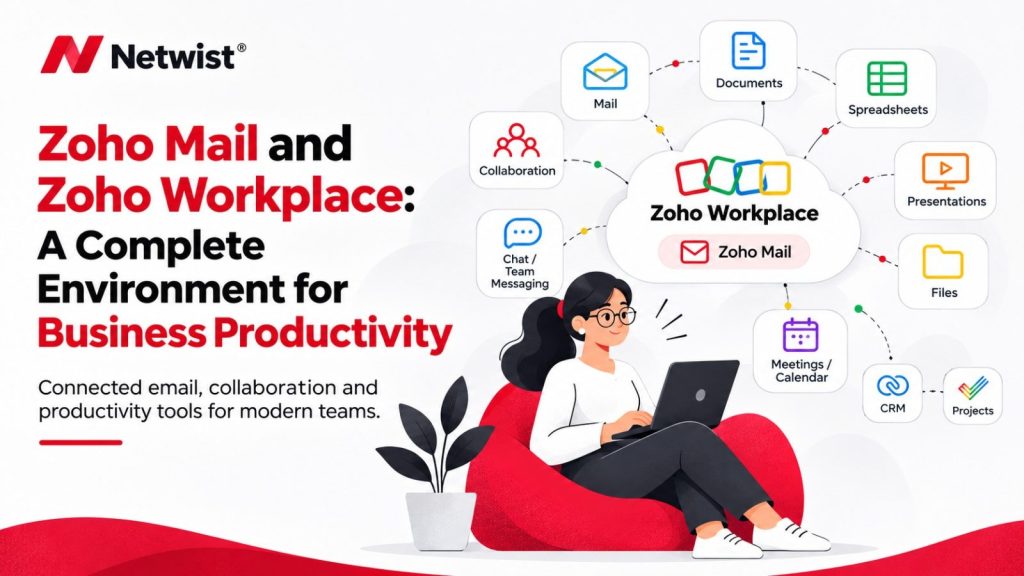
Zoho Workplace is a comprehensive productivity suite designed to help businesses communicate, collaborate, and manage their everyday work more efficiently.
It brings together professional email, document creation, file management, team communication, online meetings, and collaboration tools in one connected environment.
Its key applications include:
- Zoho Mail – Professional business email with custom domains and productivity features.
- Zoho Calendar – Calendar management and meeting scheduling.
- Zoho Writer – Online word processing and document collaboration.
- Zoho Sheet – Spreadsheet creation and data management.
- Zoho Show – Presentation creation and sharing.
- Zoho WorkDrive – Cloud-based file storage and team collaboration.
- Zoho Cliq – Team messaging and workplace communication.
- Zoho Meeting – Online meetings and webinars.
- Zoho ToDo – Task organisation and personal productivity, helping users keep track of activities, priorities, and deadlines.
- Zoho Notebook – Digital note-taking, allowing users to capture ideas, organise information, and keep important notes accessible.
Together, these tools and the wider Zoho ecosystem provide businesses with a flexible working environment that supports communication, collaboration, organisation, and productivity.
For businesses looking for an integrated productivity solution, Zoho Workplace offers a compelling alternative to Google Workspace and Microsoft 365.
4. Google Workspace: Simple Collaboration and Cloud Productivity
Google Workspace focuses on cloud-based productivity and real-time collaboration.
Its applications are designed to work seamlessly together, making it easy for teams to create documents, share files, communicate, and collaborate from different locations.
Some of its main advantages include:
- Gmail for professional business email.
- Google Drive for cloud storage and file sharing.
- Google Docs, Sheets, and Slides for collaborative document creation.
- Google Meet for video meetings.
- Google Chat for team communication.
- Google Calendar for scheduling and organisation.
Google Workspace is particularly suitable for businesses that value simplicity, accessibility, and real-time collaboration.
Its familiar interface and browser-based applications make it easy for teams to work together without relying heavily on desktop software.
5. Microsoft 365: Advanced Productivity and Business Applications
Microsoft 365 is a powerful productivity platform that combines familiar desktop applications with cloud-based services.
It is particularly suitable for businesses that rely on advanced document editing, spreadsheets, presentations, and collaboration across departments.
Its main applications include:
- Outlook and Exchange for professional email and communication.
- Word for document creation.
- Excel for spreadsheets and data analysis.
- PowerPoint for presentations.
- OneDrive for cloud storage.
- Microsoft Teams for communication and collaboration.
- SharePoint for document management and internal collaboration.
- Microsoft To Do for personal task management.
- OneNote for digital note-taking.
Microsoft 365 is a strong choice for organisations that already use Microsoft applications and need advanced productivity capabilities, extensive collaboration options, and integration with the wider Microsoft ecosystem.
6. Integrations and Business Ecosystems
One of the most important factors when choosing a productivity platform is how well it integrates with the other tools your business uses.
Zoho Workplace and the Zoho Ecosystem
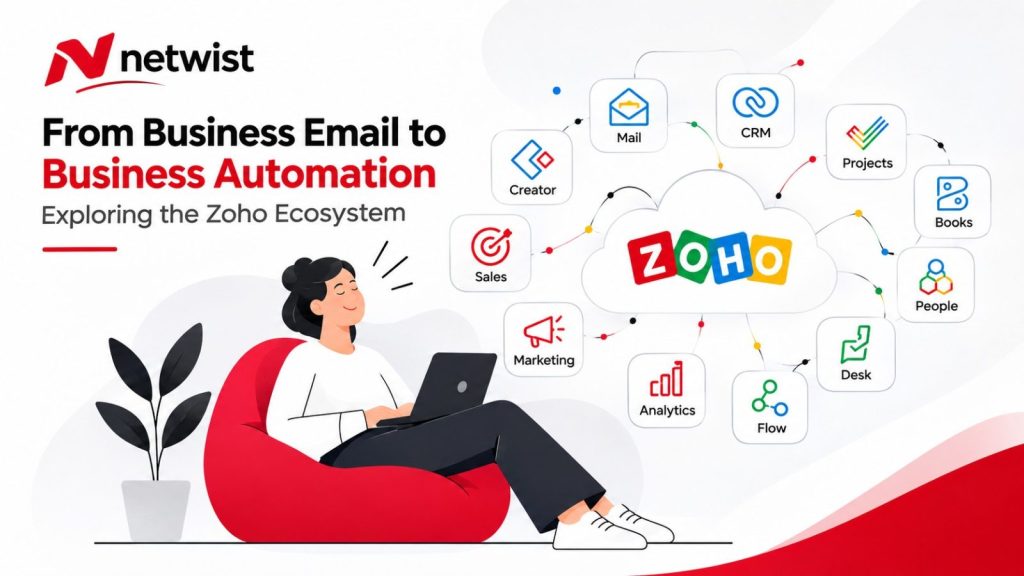
One of Zoho’s strongest advantages is its wider business ecosystem.
Beyond Workplace, businesses can connect their operations with applications such as:
- Zoho CRM for customer relationship management.
- Zoho Desk for customer support.
- Zoho Projects for project management.
- Zoho Campaigns for email marketing.
- Zoho Forms for online forms and data collection.
- Zoho Books for accounting and financial management.
- Zoho Analytics for business intelligence.
- Zoho Creator for custom business applications.
This wider ecosystem allows businesses to connect different departments and processes within a more unified environment.
Google Workspace Integrations
Google Workspace integrates with Google’s own services and a wide range of third-party applications.
Businesses can connect their email, calendar, documents, cloud storage, and communication tools with various business platforms to support their workflows.
Microsoft 365 Integrations
Microsoft 365 offers extensive integration with Microsoft’s business applications and services.
It works particularly well with tools such as SharePoint, Power Automate, Power BI, Dynamics 365, and other Microsoft solutions.
This makes it a suitable option for businesses that already operate within the Microsoft ecosystem.
7. Pricing and Overall Value
Pricing is an important consideration when choosing a productivity suite.
The total cost depends on the subscription plan, number of users, storage requirements, available features, and additional services.
Zoho Workplace is often considered an attractive option for businesses looking for a broad range of productivity tools at a competitive price.
Google Workspace offers different plans designed around cloud productivity, collaboration, and business requirements.
Microsoft 365 provides several subscription options, with different applications, storage allowances, and business features depending on the selected plan.
Rather than comparing subscription prices alone, businesses should consider the overall value of each platform.
Think about the applications your team actually needs, the number of users, the storage requirements, and the integrations necessary to support your operations.
Always check the providers’ current pricing pages and plan details before making a decision, as features and subscription terms can change.
8. Security, Administration, and Business Reliability
Security and administration are essential when selecting a productivity platform.
Businesses need reliable email services, secure access to files, user management, and appropriate controls over company information.
Zoho Workplace, Google Workspace, and Microsoft 365 all offer security and administration capabilities, although the specific features available depend on the subscription plan and configuration.
Important considerations include:
- User and administrator management.
- Multi-factor authentication.
- Email security and spam protection.
- Access permissions and file sharing controls.
- Data protection and recovery options.
- Administrative monitoring and management.
The right platform should not only support productivity but also help protect your business information and maintain reliable daily operations.
9. Which Productivity Platform Is Right for Your Business?
There is no single solution that is perfect for every organisation.
The best choice depends on your business requirements, working habits, existing applications, budget, and future plans.
Choose Zoho Workplace if:
- You want an integrated productivity suite.
- You are interested in the wider Zoho business ecosystem.
- You want to connect email, collaboration, CRM, support, and business applications.
- You are looking for flexible solutions with competitive pricing.
- You want to gradually improve and automate business processes.
Choose Google Workspace if:
- Your team prefers browser-based applications.
- Real-time document collaboration is a priority.
- You value simplicity and ease of use.
- Your business already relies on Google services.
Choose Microsoft 365 if:
- Your business depends heavily on Word, Excel, and PowerPoint.
- You need advanced document and spreadsheet capabilities.
- Your organisation already uses Microsoft applications.
- You want extensive integration with Microsoft’s business ecosystem.
10. Why Professional Setup and Configuration Matter
Choosing the right productivity platform is only the first step.
Proper setup, configuration, and ongoing management are equally important to ensure that your business gets the most out of its investment.
From business email configuration and domain setup to user management, data migration, security settings, and application integration, a professional implementation can make a significant difference.
A properly configured platform helps minimise disruptions, improve collaboration, and create a more efficient working environment.
At Netwist, we help businesses implement and manage digital solutions that support their everyday operations.
As a Zoho Partner, we can help you explore the Zoho ecosystem, identify suitable applications, and configure solutions based on your business requirements.
11. Final Thoughts: Make the Right Choice for Your Business
Zoho Workplace, Google Workspace, and Microsoft 365 are all capable productivity platforms.
Google Workspace stands out for its cloud-based collaboration experience, while Microsoft 365 offers powerful productivity applications and extensive integration with Microsoft’s business ecosystem.
Zoho Workplace is an attractive alternative for businesses looking for a connected productivity suite, with the additional advantage of access to the wider Zoho ecosystem.
The most important thing is to choose a solution that fits the way your business works today while giving you room to grow in the future.
Looking for the right productivity solution for your business?
At Netwist, we help businesses evaluate their requirements, implement Zoho solutions, configure professional business email, and connect the right digital tools to support more efficient operations.
Not sure which productivity platform is right for your business? Request a Zoho Consultation with Netwist and let’s explore the best solution for your organisation.